
If your website has a contact form, it gets spam. Showing requests from people who don’t exist. “Partnership opportunities” from SEO agencies. Blog comments that are really just links. Real estate websites get a steady stream of it, because every form is a door into a business that answers new messages quickly.
Most of it never reaches you. That is not luck. It is a stack of protections, each one catching what the last one missed.
That is also where the questions start. We hear them all the time: How does it actually work? How can I be sure it isn’t throwing away real leads? I’m worried about this. How can I check?
So here is the whole picture, from the edge of the internet to your inbox, plus a short visual walkthrough of the last line of defense.
The short version
- At the edge: Cloudflare turns away bad bots and risky traffic before it reaches your website.
- At the form: a human check like Cloudflare Turnstile or Google reCAPTCHA, plus a hidden honeypot field, stops automated submissions.
- After you hit send: filters like Gravity Forms’ spam checks, CleanTalk and Akismet screen the message itself.
- In your hands: anything suspicious lands in a spam folder you can check, and one click puts a real message back.
One honest note before we start: not every website needs every tool. We use many of them and choose what fits each site, then test and adjust based on what each member needs. A busy brokerage site and a single agent’s blog face different traffic, so they get different settings.
Layer 1: Cloudflare stops most of it at the edge
Before the visitor reaches your website
The first check happens before anyone reaches your site at all. Cloudflare sits at the edge of the network, in data centers close to each visitor, and looks at every request on its way in. A bad request gets turned away thousands of miles before it would ever touch your server.
Every visitor lands in one of three lanes:
- Block the obvious. Addresses with a bad reputation, known attack patterns, scanners probing for weaknesses and login-hammering bots get turned away.
- Challenge the maybe. Traffic that looks automated gets a quiet test a real browser passes in the background, usually without the visitor noticing.
- Let people and good bots through. Real visitors carry on, and so do verified good bots like the search engines that index your listings.
The tools behind those lanes include Bot Fight Mode (and its smarter “Super” version, which challenges instead of blocking and keeps a guest list for verified crawlers), IP reputation rules that refuse addresses already known for abuse, a web application firewall with a large set of managed rules for known attacks, and temporary bans for anything caught scanning or brute-forcing logins. Where it makes sense, traffic from countries a business doesn’t serve can get a challenge too.
On our network, about 15% of the traffic hitting the edge gets blocked or challenged before it costs your website anything. We wrote about this layer in detail in The Bouncer at the Edge: How a Web Firewall Sorts the Crowd.
Layer 2: At the form, a quick “are you human?”
While the visitor fills it out
Some spam looks perfectly ordinary at the front door: one slow bot from a normal home internet connection, filling out one form. So the form itself gets a second set of checks.
Cloudflare Turnstile is a human check without the puzzles. It runs small background tests on the visitor’s browser and, for most people, never shows anything at all. When a visitor looks risky, it may show a simple checkbox. Cloudflare says it doesn’t collect the contents of your forms to do this.
Google reCAPTCHA comes in two familiar flavors. Version 2 is the “I’m not a robot” checkbox, sometimes with a grid of images. Version 3 is invisible and gives each visitor a score from 0 to 1, so the site can decide what to do with a low score. Each has trade-offs between convenience and certainty, which is why we pick per site.
A honeypot (some people call it a honeytrap) is a form field real visitors never see. Bots tend to fill in every field they find, so anything that fills in the invisible one gets flagged. It costs visitors nothing and catches a surprising amount of lazy spam.
And if traffic already looks automated from the first layer, the form can be switched off for that visitor entirely. There is nothing to submit if the door isn’t there.
More on human checks in Are You Human? reCAPTCHA, Akismet, and the Bots We Can’t Just Block.
Layer 3: After you hit send, the filters read the message
Before it reaches your inbox
A human check asks “are you a person?” The filters ask a different question: “does this message look like spam?” That matters, because some spam is typed by real people paid to paste links into forms.
Gravity Forms, the form builder behind many of the forms we build, has spam handling built in. It can run the honeypot, work with Akismet, and keep flagged entries in a separate Spam tab instead of throwing them away, so a real message caught by mistake can still be recovered.
CleanTalk is a cloud spam filter. When someone submits a form, comment or signup, CleanTalk checks it against reputation data and behavior patterns from more than a million websites, with no puzzle for the visitor.
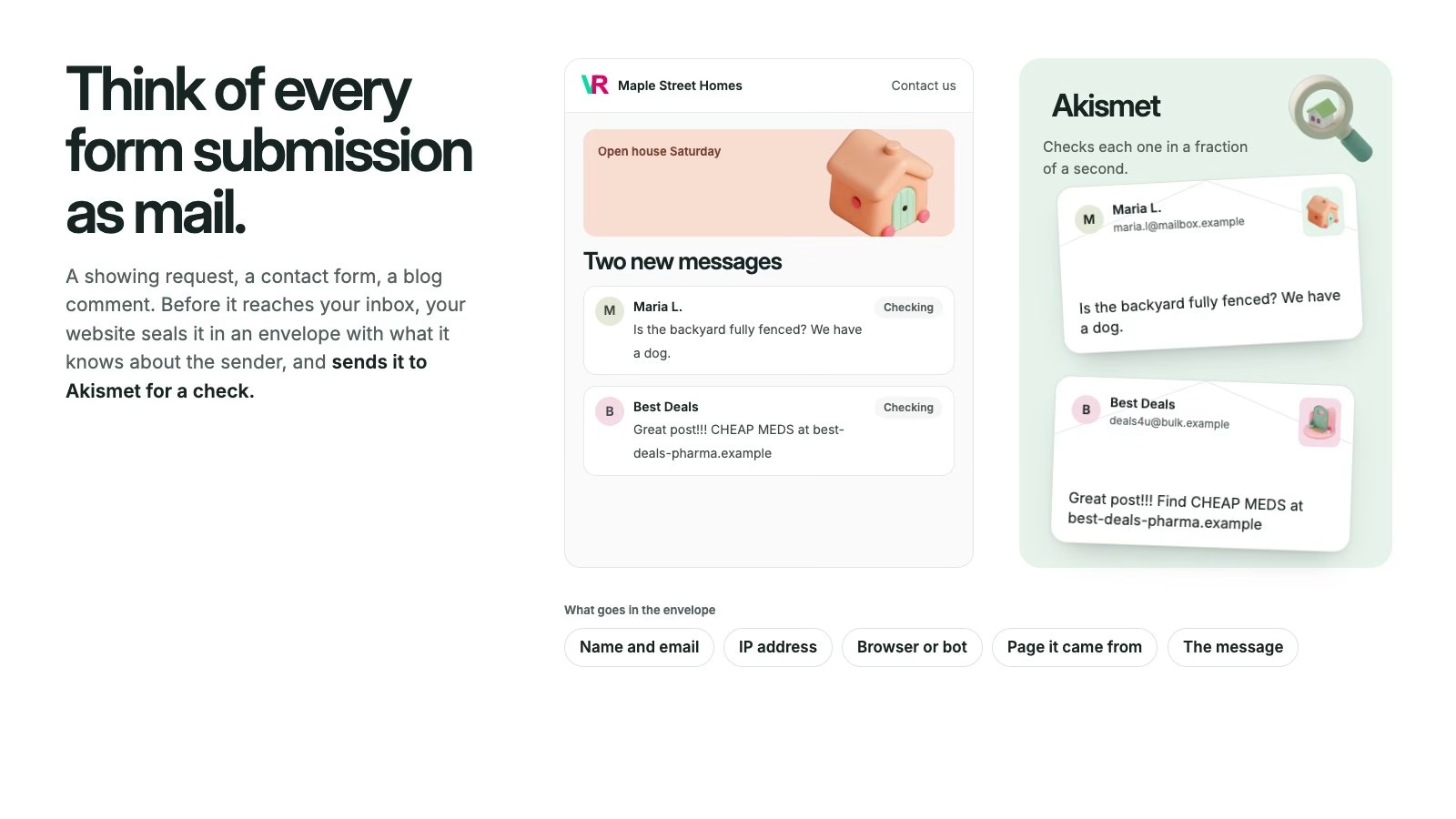
Akismet is the long-time spam filter for WordPress comments and forms. It uses machine learning and protects more than 100 million websites, so spam caught on one site helps stop it on the others. Here is exactly how it works, in six short steps:

Layer 4: You stay in charge of the spam folder
The part you can check yourself
No filter is perfect, and none of these tools claims to be. That is why suspected spam usually goes into a spam folder instead of disappearing. The exception is an optional setting that silently discards only the most obvious, worst spam.
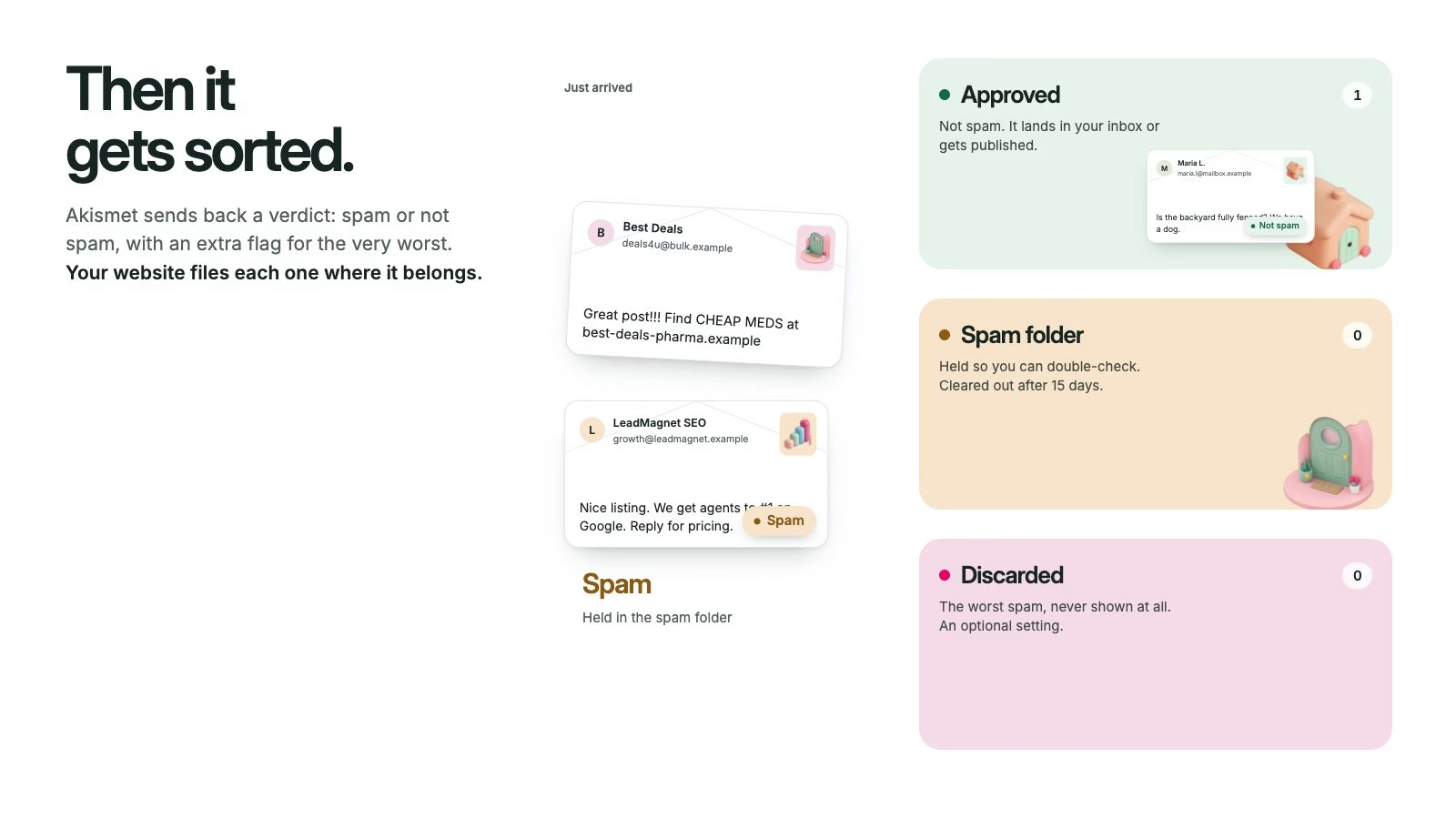
A small habit takes care of the rest. Every week or two, take a quick look:
- Comments: in WordPress, go to Comments → Spam.
- Gravity Forms entries: open the form’s Entries page and check the Spam tab.
- Other form plugins and CleanTalk: most keep their own spam list or a log of blocked submissions.
If you find a real message, click Not Spam. It moves back where it belongs, and the filters learn from the correction. Spam comments are cleared out automatically after about 15 days, so a regular quick look beats an occasional deep dig.
How can I be sure it isn’t blocking real leads?
Honestly, by checking, and by having someone watching the dials. Strong protection occasionally stops the wrong person: a whole office sharing one internet address, or an agent flagged right after publishing a burst of listings. That is why we prefer challenges over hard blocks where we can, keep flagged form entries instead of deleting them, and tune each site when something looks off.
If a buyer ever tells you they filled out your form and you never heard from them, tell us. We can look at what each layer did with that submission and adjust.
Why use layers instead of one great tool?
Because every single tool can be beaten. There are services that solve CAPTCHAs for pennies, bots that behave politely, and people paid to paste spam by hand. Each layer catches a different kind of junk: the edge stops the crowd, the form check stops the scripts, the filters catch the messages that look human, and you catch the rare mistake. Together they are far harder to get past than any one of them alone.
Prefer to watch?
Here is the 30-second version, with sound.
Common questions
Will these protections slow down my website?
No. The edge layer runs on Cloudflare’s network before your server is involved, and the form checks run quietly in the visitor’s browser or after they hit send.
Will Google still be able to crawl my listings?
Yes. Verified search engine crawlers are on the guest list at the edge, so blocking bad bots doesn’t mean blocking the good ones.
Do I need every one of these tools?
Usually not. We pick the combination that fits your site and your traffic, then adjust it as we see what gets through.
Where do I find my spam folder?
For comments, Comments → Spam in WordPress. For Gravity Forms, the Spam tab on each form’s Entries page. If you can’t find it, ask us and we’ll show you.
Want a second set of eyes?
If you aren’t sure what’s protecting your forms, or whether real messages are getting caught, ask us. Virtual Results members can also ask support for a free Security Hardening, where we go through the whole checklist together.
Open the Akismet walkthrough →
Virtual Results