A little behind-the-scenes from the workbench — this time, on the awkward question every form on the internet has to ask.
Signal & Noise — Part 6 of 7
← The Bouncer at the Edge: How a Web Firewall Sorts the Crowd | The Security Hardening Checklist (Steal Ours) →
The short version
- The firewall at the edge stops most bad bots before they reach your site — but some spam still slips through on the forms real people also use. That’s where on-page defenses earn their keep.
- reCAPTCHA v2 makes you do something (“click the box,” “pick the buses”). reCAPTCHA v3 watches quietly and hands your site a score from 0 to 1 — no puzzle, no clicking.
- Akismet is a shared spam brain for forms and comments. Across its network it has blocked 570+ billion pieces of spam and protects 100+ million sites. On one of our client’s sites it flags the large majority of form submissions as spam.
- There’s a grey market that defeats CAPTCHAs for pennies per thousand. It’s why no single tool is the answer — layered defense is.
- The hardest case isn’t the bad bots at all. It’s the new wave of AI bots that look exactly like the good ones — and build their business by reading yours.
↓ Skip to the long version / results
In this guide
Why some spam still gets through
In Part 5 we talked about the bouncer at the edge — the firewall that checks traffic before it ever reaches your site and turns away the obviously bad actors. It catches a staggering amount. But it can’t catch everything, and here’s the honest reason why.
The edge is great at spotting things that are clearly not human — a known-bad IP, a thousand requests a second, a fingerprint that screams “script.” But your contact form, your “request a showing” button, your comment box? Those live in the messy middle, where real people and clever bots use the exact same door. A spam bot that fills out one form, slowly, from a residential IP looks an awful lot like a buyer who’s a little shy with technology.
So you need a second line that watches the form itself, not just the front gate. That’s the on-page layer: reCAPTCHA and Akismet. Think of the edge as the bouncer and these as the bartender who’s quietly clocking which “customers” never actually order a drink.
How reCAPTCHA works (v2 vs. v3)
You’ve met reCAPTCHA. It’s Google’s free “are you human?” check, and it comes in two flavors that work in completely different ways.
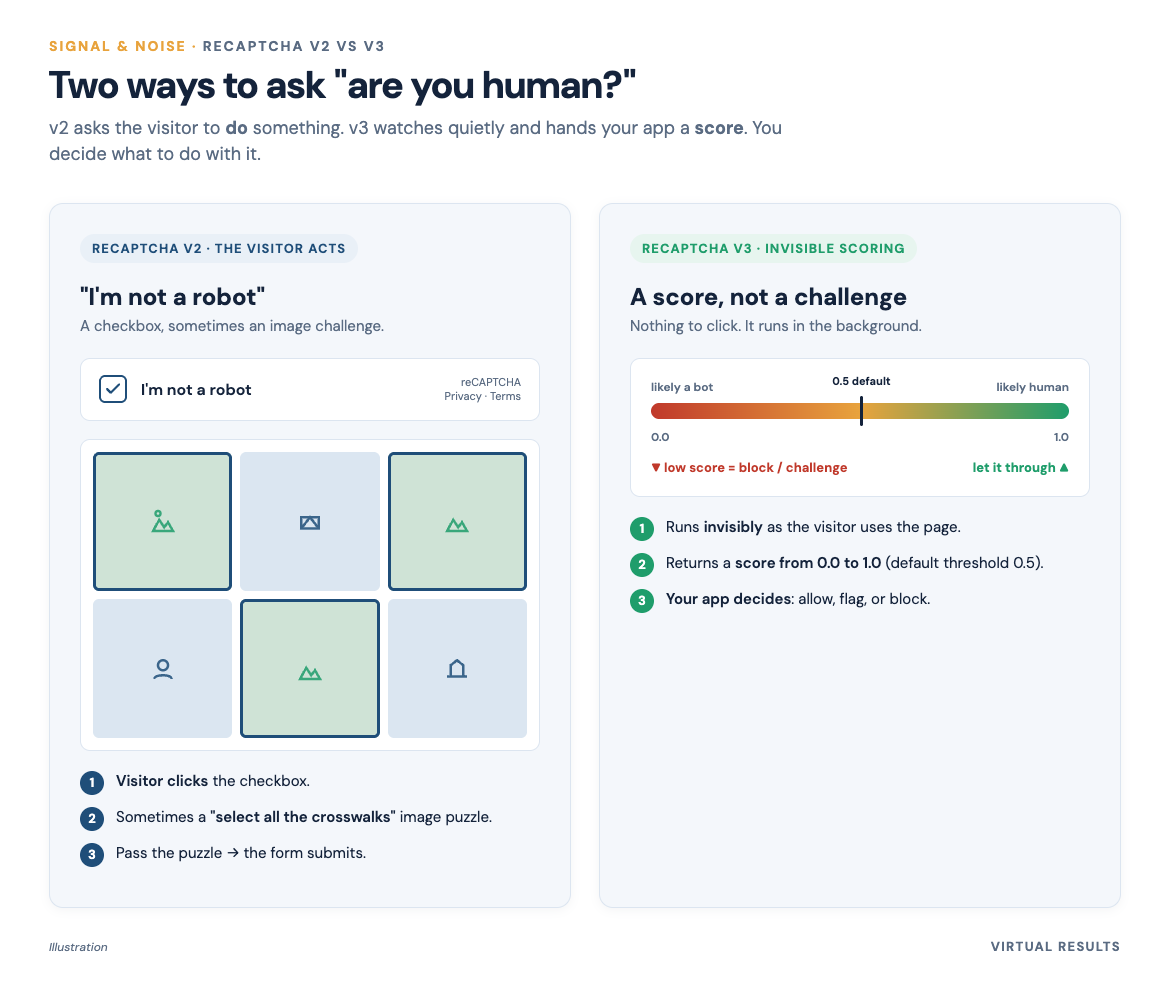
reCAPTCHA v2 is the one everyone pictures — the “I’m not a robot” checkbox, and sometimes the grid of “select all images with a crosswalk.” It’s an explicit test. The site is unsure about you, so it asks you to do something a bot finds hard. You click, you squint at some blurry buses, you pass. The cost is friction: every honest visitor has to stop and prove themselves.
reCAPTCHA v3 threw out the puzzle. Instead, it runs invisibly in the background and watches how you behave — how you move, type, and navigate — then hands your site a score from 0.0 to 1.0. Closer to 1.0 means “very likely human”; closer to 0.0 means “very likely a bot.” Google’s default cut-off is 0.5, and crucially, your site decides what to do with the number. (Source: Google reCAPTCHA v3 docs.) A 0.9 sails through. A 0.2 might get quietly held for review, or asked to take a v2-style puzzle as a tie-breaker. The visitor never sees a thing.
The trade-off is real and worth saying plainly: v2 annoys humans but gives a clear yes/no. v3 is frictionless but fuzzy — it’s a probability, not a verdict, and you have to tune the threshold to your own tolerance for “let a maybe-bot through” versus “block a maybe-human.” Neither is magic. They’re tools.
Akismet: the spam filter for forms and comments
reCAPTCHA asks “are you a human?” Akismet asks a different and equally useful question: “does this message look like spam?”
Akismet is a spam filter that’s been guarding WordPress comments and forms for the better part of two decades. The clever part is the network effect: every site running it feeds signals into one shared brain, so spam caught on one site helps protect the next. That shared learning is why it’s so good at the junk that gets past a CAPTCHA — the form that a real (paid) human filled out just to drop a casino link in your comments.
The scale is genuinely fun to sit with. Akismet publishes a running tally on its homepage: more than 570 billion pieces of spam blocked all-time, across 100+ million sites, at a claimed 99.99% accuracy. (Source: akismet.com — vendor’s own published figures.) Years ago, when it crossed its first 20 billion, the company noted it was catching spam at around 10 million pieces a day and that a typical site sees roughly three times more spam than legitimate comments. Three to one. That’s the internet your contact form lives in.
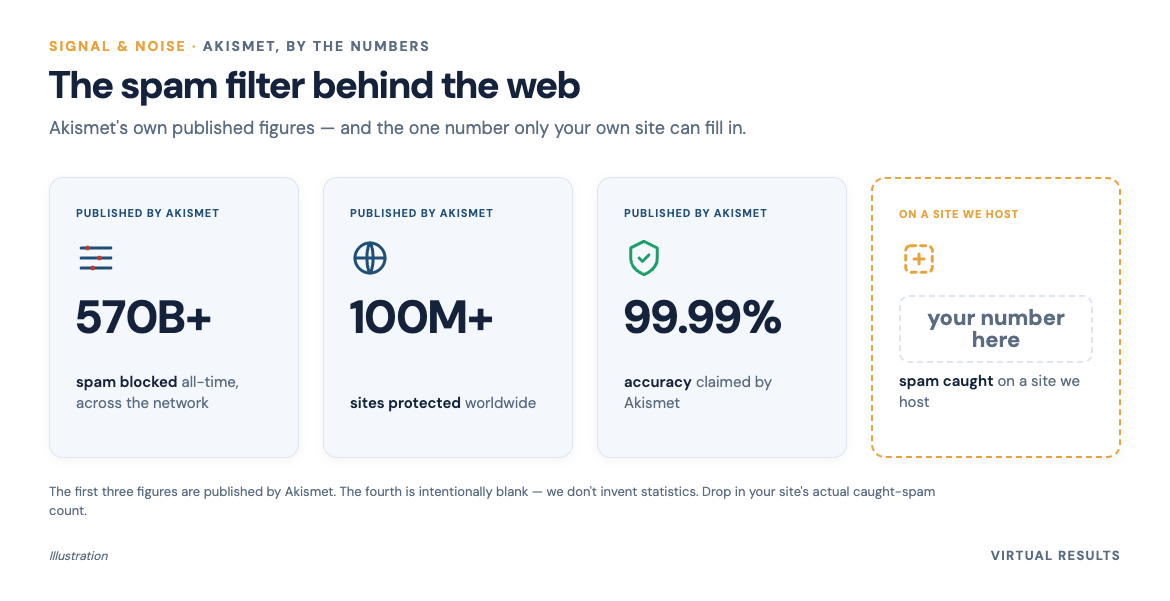
On one of the client sites we host, Akismet quietly flags the large majority of all form submissions as spam. We’re not going to name the site — but the share was high enough that, without the filter, the real leads would have been buried under junk. Which is the whole point: a busy agent’s attention is the scarce resource, and the filter exists to protect it.
The cat-and-mouse: people sell CAPTCHA-solving
Here’s the uncomfortable bit that explains why we never lean on any one tool.
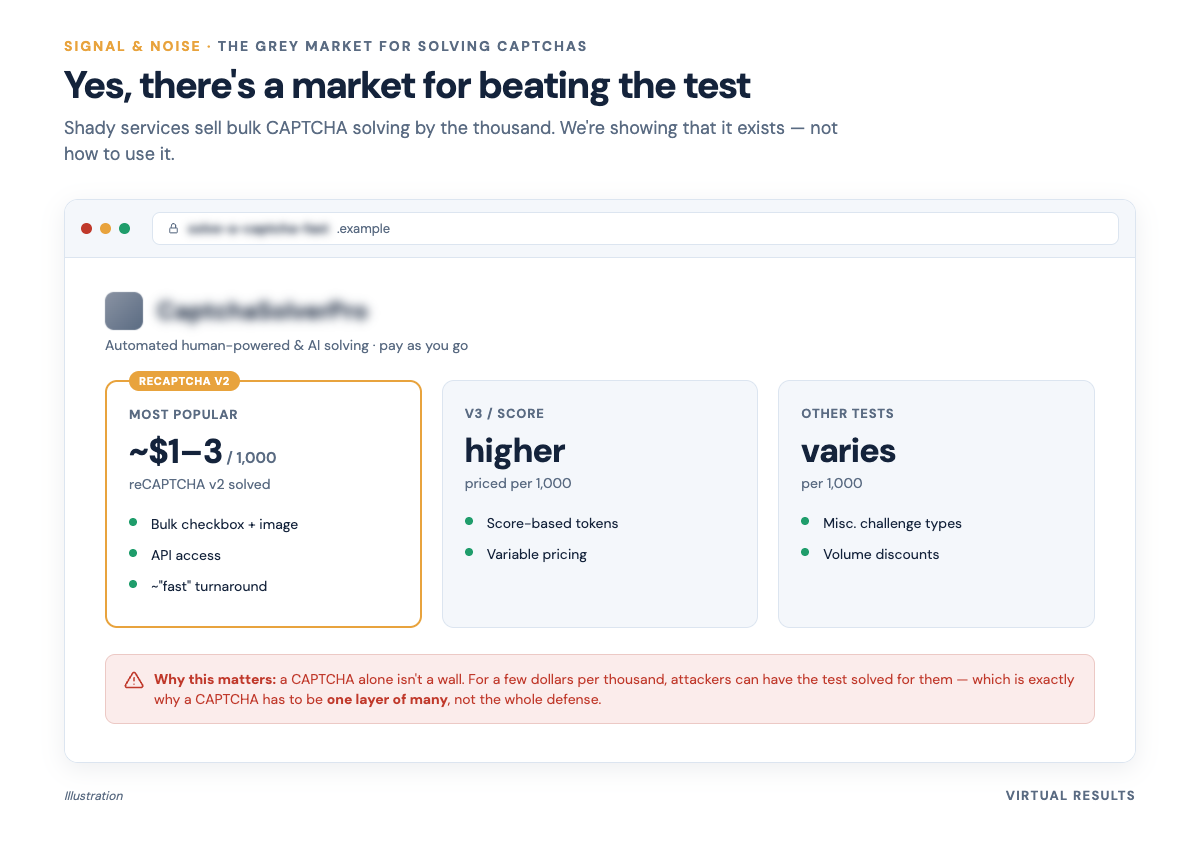
There is an open, priced market for defeating CAPTCHAs. These are real businesses — they combine human workers and machine learning, they charge only for solves that work, and they publish rate cards like any other SaaS. Solving a thousand reCAPTCHA v2 challenges costs on the order of a dollar or two. Simpler image CAPTCHAs are cheaper still — well under a dollar per thousand. (Published pricing, for color, from services like 2Captcha and Anti-Captcha.)
We’re showing you that this exists, not how to use it — there’s nothing to learn here except the lesson. And the lesson is the one engineers learn over and over: any single lock can be picked if picking it is cheap enough. A CAPTCHA isn’t a wall; it’s a toll. Pair it with Akismet, the edge firewall, rate limits, and the bot-only server from Part 4, and you’re not relying on any one toll being unpayable. You’re making the whole trip expensive enough that the spammers go bother an easier target. That’s what “defense in depth” actually means in plain English.
The bots we can’t just block
Everything above is about telling humans from bad bots. But the hardest problem on today’s internet isn’t the bad ones. It’s the good-looking ones.
A new class of crawler showed up over the last couple of years: AI bots. Some are gathering training data for large language models. Others are “answer engine” bots — they read your page so a chatbot can answer a user’s question, often without that user ever clicking through to you. Names you’ll see in server logs include GPTBot (OpenAI), ClaudeBot (Anthropic), and PerplexityBot (Perplexity).
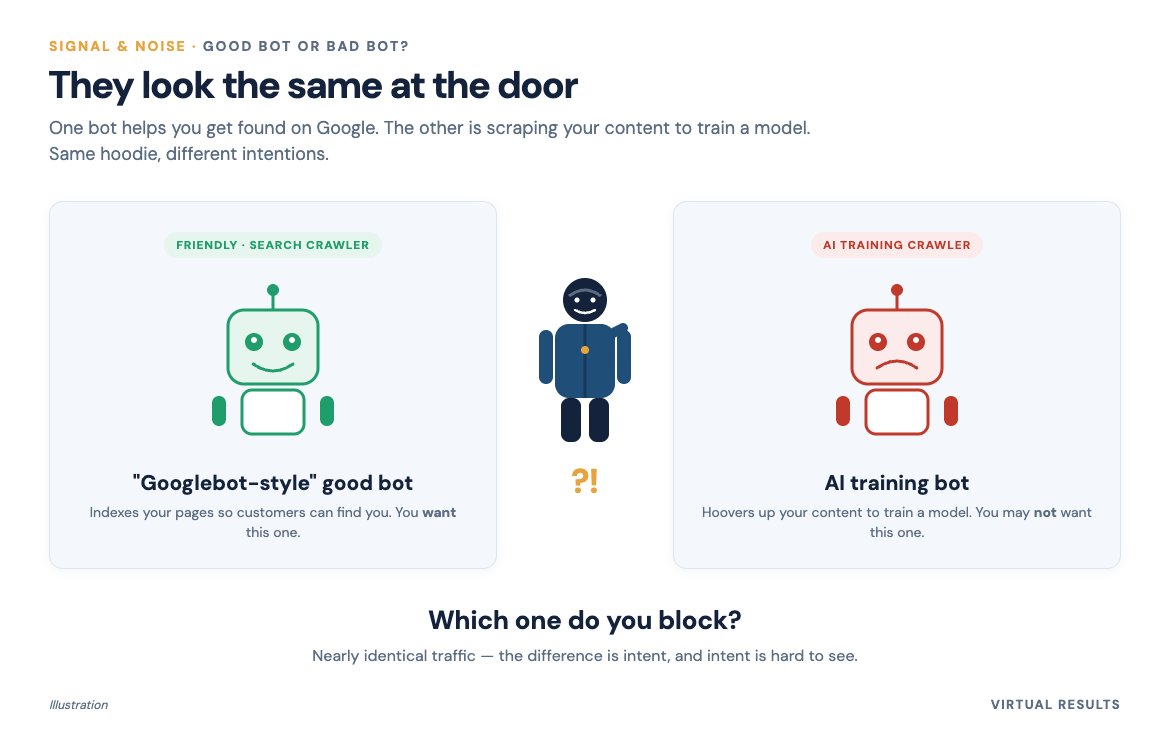
Here’s the tension. These bots, in the way they fetch pages, look almost exactly like the search crawlers we want — the Googlebots that keep your listings findable. And our whole business is real estate SEO; we cannot wall off the good crawlers without kneecapping the thing our members pay us to protect. So “just block the AI bots” is not the clean answer it sounds like.
And the math is lopsided in a way that’s worth seeing. On one large network’s measurements, AI companies crawl an enormous amount and send back almost nobody. Anthropic was crawling on the order of 286,000 pages for every single visitor it referred back in early 2025; OpenAI was around 1,200 to 1. Even Google — historically the “fair” one, where you got visitors in exchange for being crawled — had slipped to roughly 4 crawls per referral in early 2025 and was getting worse (closer to 5 to 1 within months). (Source: Cloudflare, “The crawl-to-click gap.”) Roughly 80% of AI crawling is for training, not for sending you anyone. (Source: Cloudflare, “From Googlebot to GPTBot.”)
So they build their business by consuming yours — your photos, your descriptions, your hard-won local content — and the old bargain, “let me crawl you and I’ll send you traffic,” is quietly fraying.
Where’s the line? Honestly: we don’t think anyone has a tidy answer yet, and we’d be lying if we handed you one. You can opt out of training crawlers in your robots.txt (Google even split out a Google-Extended token so you can say “no” to training without saying “no” to Search — though this is current guidance, and these policies change fast). But opting out of an answer engine can mean opting out of being the answer. That’s a real strategic choice, not a technical toggle — and it’s exactly the conversation Part 7 turns into something you can actually decide on.
Block the training, allow the answer
Here’s a distinction the tooling has finally caught up to: AI crawlers come in two flavors. Some gather training data to build a model; others fetch your page live to answer a specific question in an AI search or assistant. You can now treat them differently — block the training crawlers while still letting the answer engines reach you, if that’s the trade you want. (The controls are written up here.)
But — and we’ve learned this firsthand — the labels aren’t always right. We’ve watched a request show up neatly tagged as an “AI training bot” that turned out to be our own testing in Claude. The line between “scraper,” “training crawler,” and “a real person leaning on an AI tool” is blurrier than any dashboard admits. So we treat the categories as strong hints, not gospel, and keep a human in the loop before anything important gets blocked.
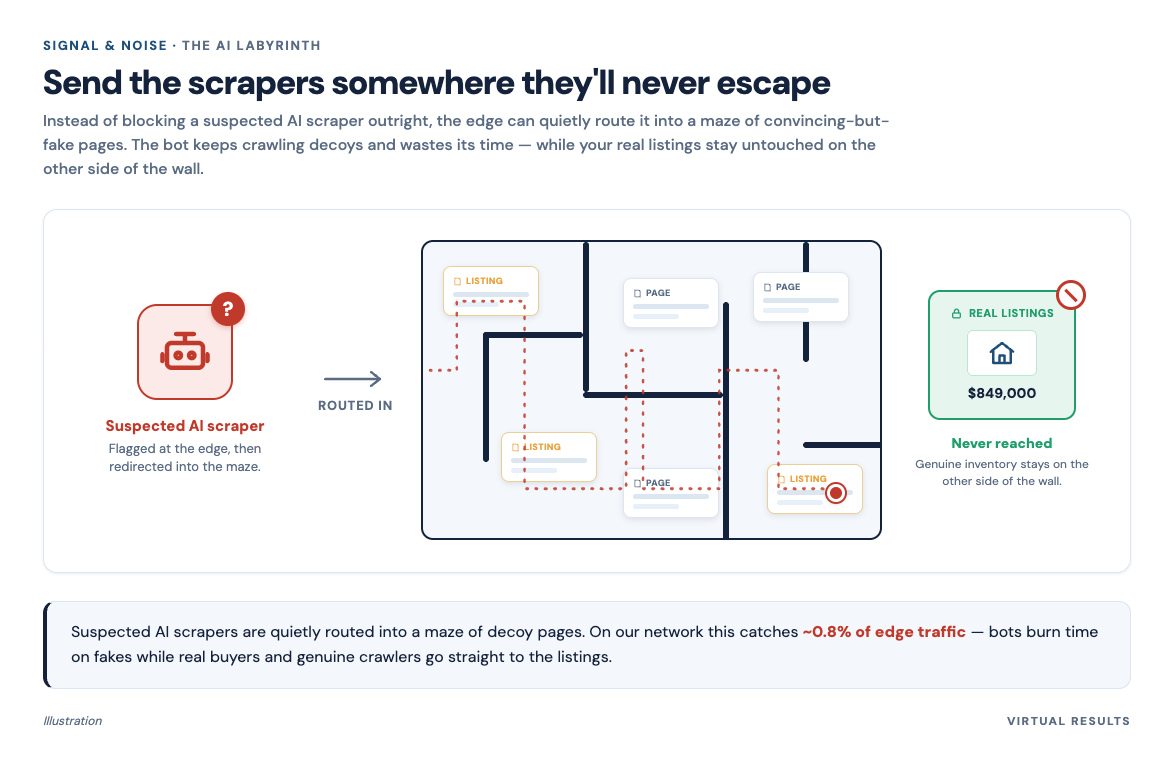
For the traffic we are confident is an unwanted scraper, we do something cheekier than a flat block: we send it into a maze. Suspected AI scrapers get routed into a set of decoy pages — an “AI labyrinth” — where they burn time on nonsense instead of harvesting your listings. On our network that quietly catches around 0.8% of edge traffic.
The long version (for the curious)
A little more depth on the two ideas people ask about most: how the v3 score actually behaves, and why Akismet’s network is hard to beat.
The v3 score is a dial, not a switch. Because reCAPTCHA v3 returns a probability rather than a yes/no, the interesting engineering is in what you do at the margins. A common pattern is to set a generous threshold (say, accept anything above 0.5) but add graduated responses below it: a low-but-not-terrible score gets a v2 checkbox as a second chance; a genuinely bad score gets held or dropped. This is why you sometimes see a checkbox appear only occasionally on a modern form — the invisible score asked for a tie-breaker. Google documents the threshold and the score range in its v3 reference and lays out the v2/v3 differences in its version chooser. Tuning that dial is a judgment call about your own tolerance for false positives — the same honest trade-off we described at the firewall in Part 5.
Akismet’s edge is the network, not the algorithm. Any spam filter can pattern-match. What makes Akismet hard to beat is that 100-million-site network: a spam campaign that pops up on one site is recognized almost instantly everywhere else, so the filter is learning from the whole internet’s worth of junk in close to real time. That’s also why it catches the stuff a CAPTCHA can’t — when a paid human solves your CAPTCHA and submits a real-looking form, the content of that form still smells like the thousand identical ones submitted elsewhere. The CAPTCHA checks the sender; Akismet checks the message. You want both.
On the AI question, a measured note. The crawl-to-click figures above come from one large network’s vantage point and are moving fast — they improved over just six months in 2025 — so treat them as a vivid snapshot of a trend, not a fixed law. The trend itself, though, is well-documented: AI crawling is rising sharply and is overwhelmingly for training rather than referrals, even as AI answers begin to eat into the human click-through that web publishers have relied on for twenty years. That’s the backdrop for every “should I block this bot?” decision a real estate site now has to make.
Sources
- Google reCAPTCHA v3 — score range (0.0–1.0) and 0.5 default threshold: developers.google.com/recaptcha/docs/v3 (official docs)
- Google reCAPTCHA version chooser (v2 vs. v3): developers.google.com/recaptcha/docs/versions (official docs)
- Akismet — 570B+ spam blocked, 100M+ sites, 99.99% claimed accuracy: akismet.com (vendor’s own published figures)
- Akismet — ~10M spam/day and ~3× spam-to-real ratio: akismet.com/blog/20-billion-served (vendor)
- Grey-market CAPTCHA-solver pricing, for color: 2Captcha pricing and Anti-Captcha (vendors’ own price pages)
- Cloudflare — the crawl-to-click gap (Anthropic ~286,930:1, OpenAI ~1,217:1, Google ~3.8:1 in Jan 2025): blog.cloudflare.com/crawlers-click-ai-bots-training (vendor telemetry)
- Cloudflare — ~80% of AI crawling is for training: blog.cloudflare.com/from-googlebot-to-gptbot-whos-crawling-your-site-in-2025 (vendor)
- AI crawler documentation: OpenAI GPTBot, Anthropic ClaudeBot, PerplexityBot (official docs)
- Google-Extended robots.txt opt-out for AI training: Google Search Central — crawlers overview (official docs; current guidance, policies change)
You just finished Part 6 of 7 of Signal & Noise.
Up next: The Security Hardening Checklist (Steal Ours) — the whole defense distilled into a free, copyable checklist you can run yourself or hand to any webmaster.
← The Bouncer at the Edge: How a Web Firewall Sorts the Crowd | The Security Hardening Checklist (Steal Ours) →
Jump back in
If your forms are drowning in junk, or you’re staring at your logs wondering whether to let the AI bots in, that’s exactly the kind of thing we like talking through. No pitch — just builders who’ve been living inside this problem for a couple of years. 👉 Come tell us what your site is dealing with.