One field guide, folded into a checklist you can actually run. Pull up a chair — this is the part you can steal.
Signal & Noise — Part 7 of 7
← Are You Human? reCAPTCHA, Akismet, and the Bots We Can’t Just Block |
The short version
- Six parts, one page. Everything from Signal & Noise — your traffic, your forms, edge filtering, gone listings, rate-limiting, false-positive tuning — distilled into a plain-language checklist.
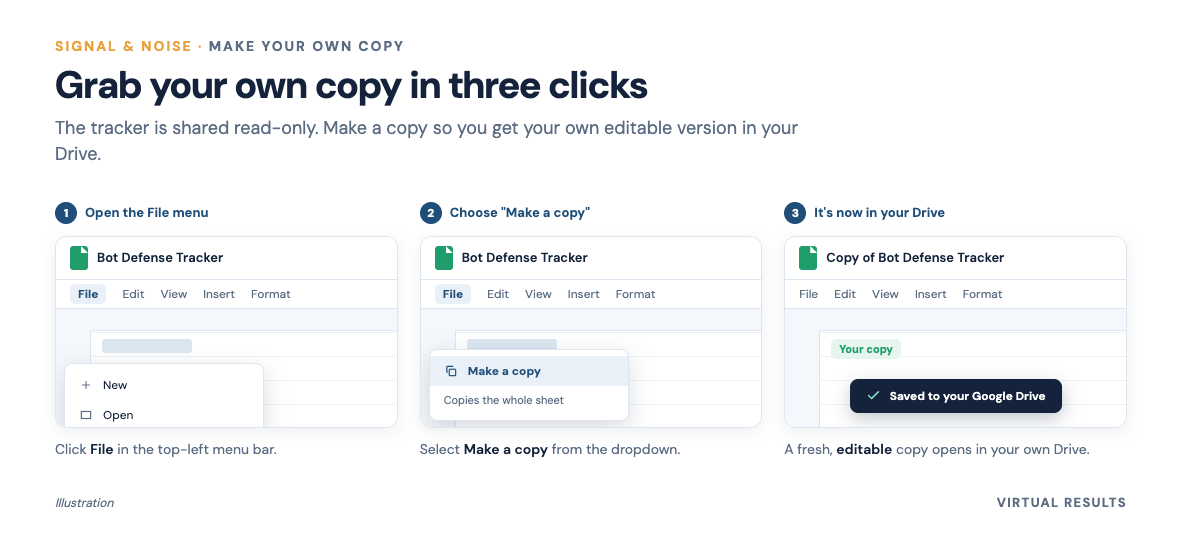
- It’s a real, copyable Google Sheet. Each row is a decision: what it is, your options, what we’d pick. Open it, do File → Make a copy, and it’s yours.
- Etiquette, quickly: don’t request edit access to our template — make your own copy, then close the original.
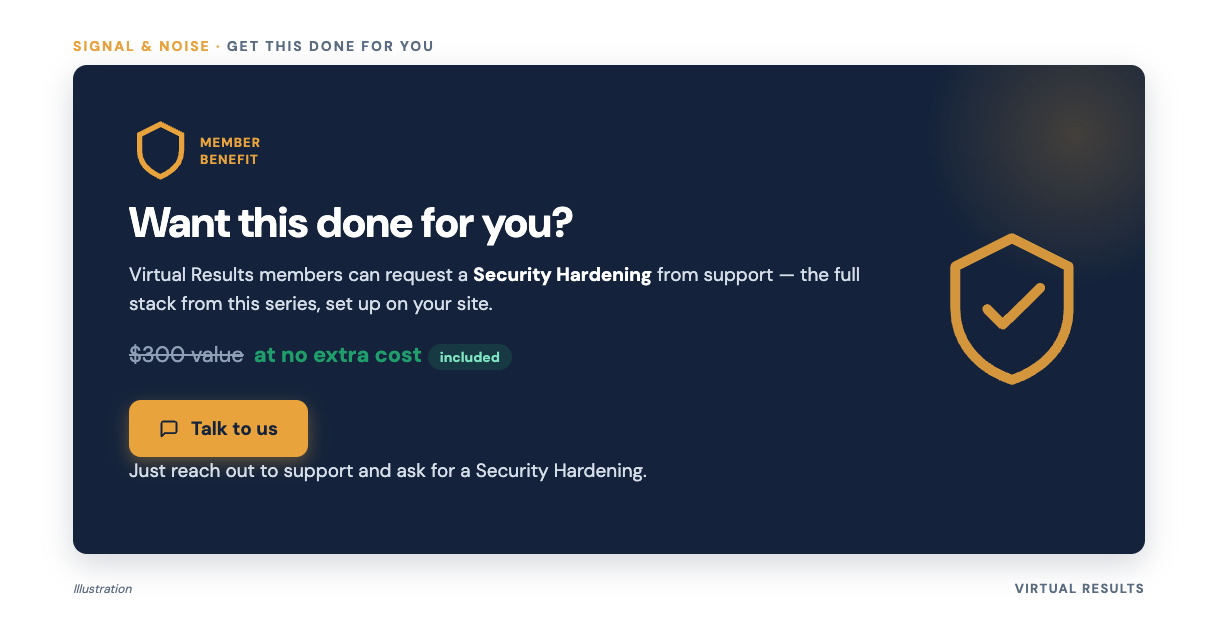
- Or skip the homework. Virtual Results members can ask support to run a Security Hardening at no cost — a roughly $300 value. We’ll go down the list together.
- No new concepts here. This is the payoff: you didn’t have to read all seven parts to benefit. Steal the checklist and go.
↓ Skip straight to the checklist
In this guide
We’ve spent six parts crawling around inside the hidden internet. This part is the one you can hand to anybody — no theory, just the moves.
A good checklist is boring in the best possible way: it turns a sprawling, intimidating topic into a list of small, answerable questions. You don’t have to understand credential stuffing to decide “yes, turn on two-factor.” You just make the call.
The checklist
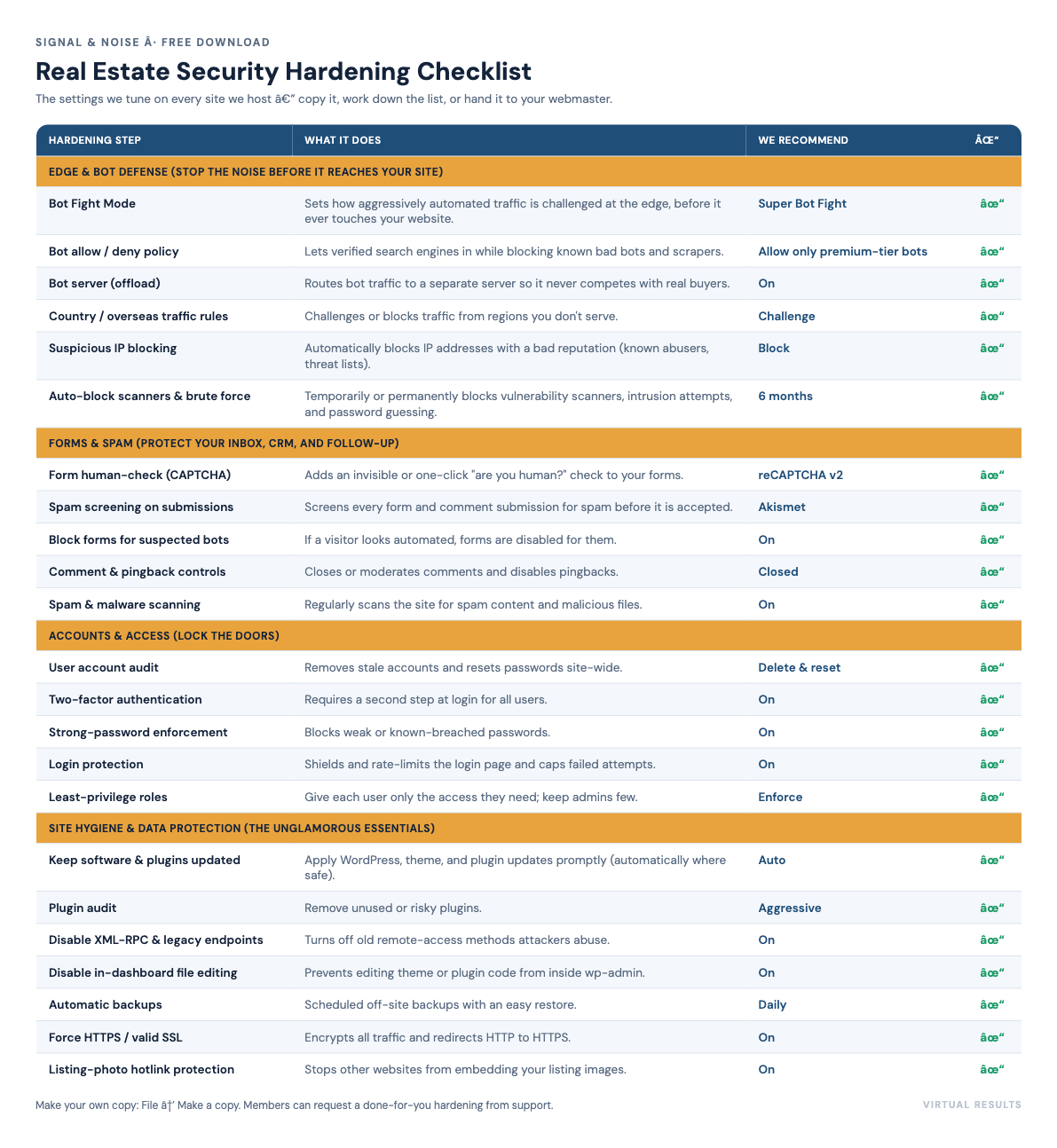
This is the same list we walk through when we harden a member’s site. Each row has a plain-language description and, where there’s a sensible default, the option we’d reach for first.
One honest note: the “right” answer isn’t always the strictest one. Crank everything to maximum and you’ll eventually block a real agent mid-blog-post (that story’s in Part 5). It’s a set of dials, not a single switch.
1. Know your traffic.
- Website user audit — clean up old or unused accounts and reset passwords. Stale logins are the easiest door to leave unlocked. Our pick: delete what you don’t need, reset the rest.
- Spam & malware scan — regularly scan the site for spam and harmful files. On.
2. Guard the doors (accounts & logins).
- Two-factor authentication for users — a second login step on top of the password. The single biggest bang-for-buck against credential-stuffing bots. On.
- Disable weak passwords — refuse weak or already-compromised passwords at sign-up. On.
- Disable XML-RPC and other remote endpoints — old remote-access methods attackers love to poke at. If you’re not using them (most sites aren’t), turn them off. On.
- Plugin audit — every extra plugin is extra surface area. Remove what you don’t need. Our pick: aggressive.
3. Sort the crowd at the edge. (This is the bouncer from Part 5.)
- Bot Fight Mode — how strict the site is against robots. The blunt “Fight Mode” just blocks; the smarter “Super Fight Mode” challenges the suspicious and lets verified good crawlers through (fewer false positives on Googlebot). Our pick: Super Fight Mode.
- Bot policy — decide which crawlers you trust. We allow only the premium tier of recognized bots and block the rest. Our pick: allow only premium bots.
- IP address policy — automatically block IP addresses with a bad reputation. Our pick: block grey-list and blacklist IPs.
- Overseas-traffic restriction — limit or block traffic from countries you don’t do business in, when it makes sense. Our pick: challenge (not an outright block — keep it gentle).
- Trigger blocks for scanners, intrusion detection, and brute force — temporarily ban anything caught probing or hammering logins. Our pick: a 6-month block.
4. Protect the forms. (The on-page layer from Part 6.)
- Webform security — add a human check to forms so bots can’t auto-submit. Options run from invisible scoring (reCAPTCHA v3) to a visible challenge (v2). Our pick: v2 — the explicit “I’m not a robot” check.
- Webform submission screening — check each submission for spam before you accept it. Our pick: Akismet.
- Disable webforms for suspected bots — if traffic already looks automated, don’t even show it a working form. On.
5. Handle the gone stuff and isolate the noise. (Parts 3 and 4.)
- Enable the Bot Server — send bot traffic to a separate, isolated server so it never competes with real buyers: reduced resources for bots, restricted crawl rate, submissions disabled. On.
That’s the whole list. None of it is exotic. The art is in the combination and the tuning — which is exactly what the series was about, and exactly what we’ll do for you if you’d rather not.
How to grab your own copy
The checklist lives as a Google Sheet you’re welcome to take. 👉 Open the Security Hardening Checklist template.
[PRE-PUBLISH TODO: set Sheet sharing to “Anyone with the link → Viewer” before this post goes live.]
It’s view-only on purpose — that keeps the master template clean for everyone. To make it yours, make a copy:
- Open the link above.
- In the menu, click File → Make a copy.
- Name it something like “[Your Site] — Security Hardening” and save it to your own Google Drive.
- Close the original template tab. Now you’ve got your own editable version to fill in the “Broker / Agent decision” and “Status” columns as you go.
One bit of etiquette: please don’t click “Request edit access” on the template. It’s a shared master — granting an edit request would mess it up for the next person, and you’d be waiting on us for nothing. Make a copy gives you full control instantly and leaves the original pristine. Copy it, close the template, you’re off.
Or let us do it for you
Here’s the part we’re genuinely happy about: if you’re a Virtual Results member, you don’t have to touch any of this yourself.
Just ask our support team for a Security Hardening. We’ll pull up the same checklist, walk it with you, and set the dials to match how you actually work — strict where it should be, gentle where a heavy hand would block your own agents. It’s a service we’d reasonably charge around $300 for. For members, it’s included at no cost.
To request it, reach out through your usual support channel or drop us a note here and say you’d like a Security Hardening. We’ll take it from there.
And a small favor in return: if hardening catches something, or you just breathe easier knowing the bots are handled — tell us about it. We love a good success story, we read every review, and if you spot something we should add to this checklist, send it over. The list gets better every time a member pushes on it.
The whole story, in order
If you landed here first and want the why behind each checklist item, here’s the whole field guide in order:
- Who’s Actually Visiting Your Website (It’s Not Who You Think) — meet the bot zoo. (~5 min)
- Why All Those Robots Cost You Real Money — the economics, and why your success attracts them. (~6 min)
- The Busiest Page on Your Site Is the One That Doesn’t Exist — the 404 story. (~7 min)
- We Built Your Website a Second Website — Just for the Robots — the bot-only server. (~6.5 min)
- The Bouncer at the Edge — how a web firewall sorts the crowd. (~6 min)
- Are You Human? — reCAPTCHA, Akismet, and the bots we can’t just block. (~6.5 min)
- The Security Hardening Checklist (Steal Ours) — you’re here. (~5 min)
The long version (for the curious)
There isn’t much “long version” this time — the checklist is the detail. So here’s the map: every line traces back to the part where we explained the why the long way.
- Why bother at all — most of your traffic isn’t human. The 2025 Imperva (Thales) Bad Bot Report put automated traffic past 51% of all web traffic in 2024; Cloudflare’s telemetry, by a different method, puts it nearer ~30%. (Bot share depends on who’s measuring.) See Part 1.
- Two-factor & weak-password rules — these blunt credential-stuffing, where bots replay stolen logins. Akamai tracked roughly 26 billion such attempts a month in 2024. See Part 2.
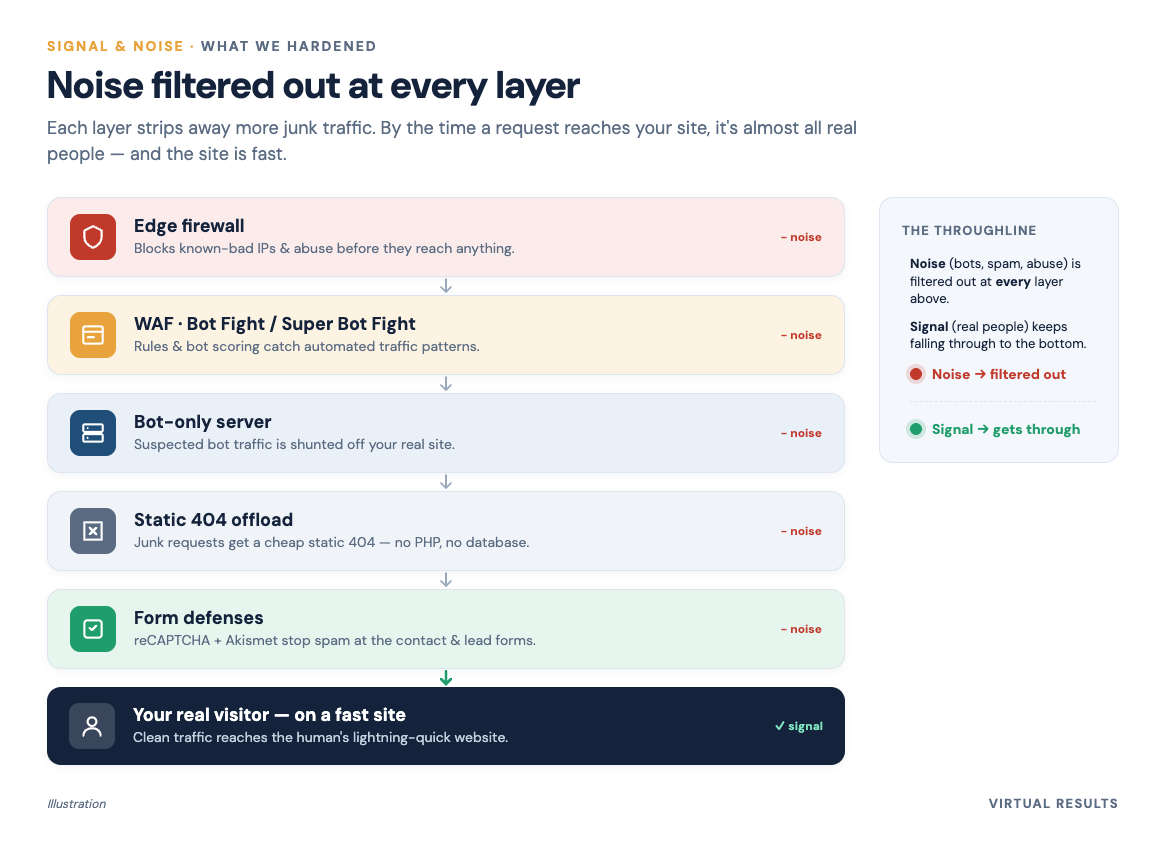
- Edge policies (Bot Fight, IP, overseas) — the bouncer that challenges the suspicious and lets verified good crawlers through instead of bluntly blocking. See Part 5.
- Webform security & screening — reCAPTCHA scores or challenges submissions; Akismet screens them against a huge spam network. A CAPTCHA alone isn’t enough — a grey market solves them at scale, hence layering. See Part 6.
- The Bot Server — isolating bots on a separate server so their machine-speed behavior never touches real buyers (and quietly cuts spam). See Part 4.
- Handling gone listings — when a property sells, a 404/410 is the correct response per Google’s own guidance, not a mistake to fear. See Part 3.
Sources (the series’ key citations, in one place):
- Google Search Central — Troubleshoot crawling errors (the official 404/410 guidance for removed content): developers.google.com/search/docs/crawling-indexing/troubleshoot-crawling-errors. (Current guidance; policies change.)
- Google — reCAPTCHA v3 documentation (the 0.0–1.0 score model): developers.google.com/recaptcha/docs/v3.
- 2025 Imperva (Thales) Bad Bot Report — automated traffic at 51% of web traffic in 2024: imperva.com (vendor / industry report).
- Cloudflare Radar — Bots (cross-check, bots ~30%): radar.cloudflare.com/bots (vendor).
- Akamai credential-stuffing figure (~26B attempts/month, 2024), via reporting: keepersecurity.com (secondary).
- Akismet — published spam-volume stats: akismet.com (vendor).
You just finished Part 7 of 7 of Signal & Noise — and the whole series. 🎉
← Are You Human? reCAPTCHA, Akismet, and the Bots We Can’t Just Block |
Jump back in
Whether you run the checklist yourself or let us do it, the goal is the same: protect the signal — the real buyers and sellers — and let the noise get handled somewhere they’ll never see it. If you’d like us to run the hardening for you, or just want to tell us how it went, we’d love to hear from you. Thanks for reading the whole thing.