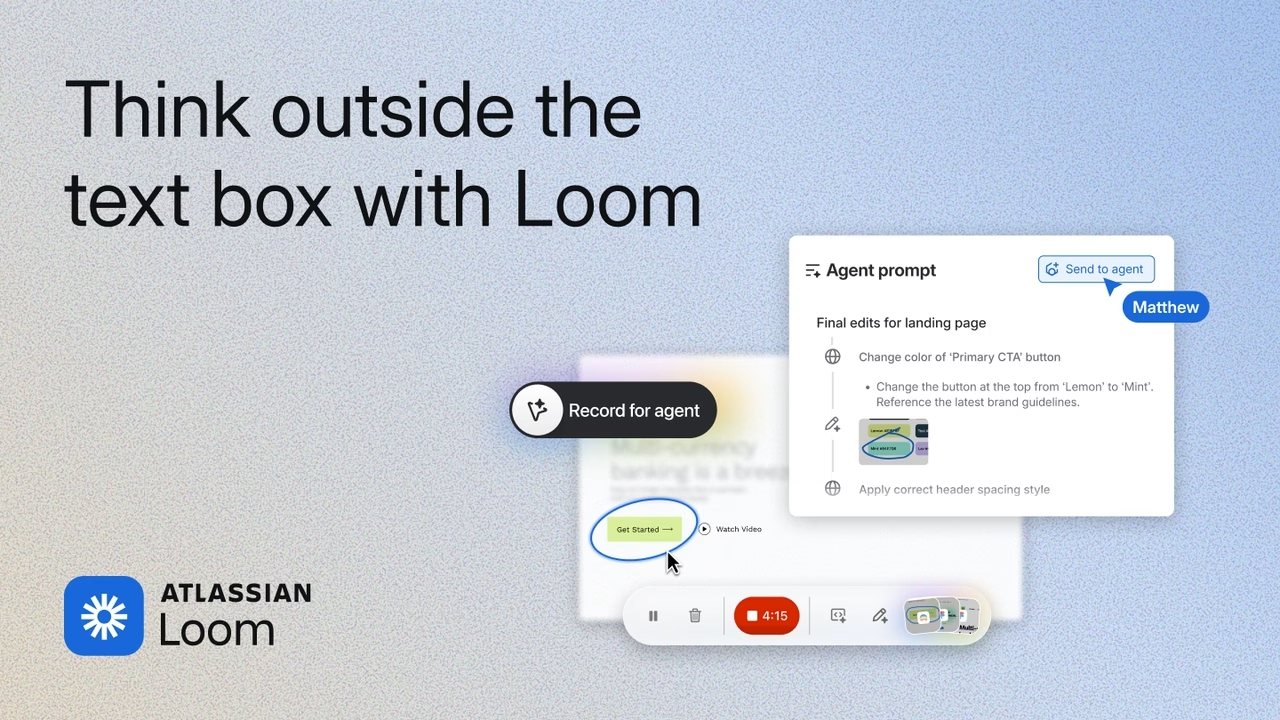
Sometimes the shortest useful prompt is a screen recording. If you are showing an AI agent a broken button, a confusing workflow or a change you want on your website, a quick demonstration can be easier than rebuilding the whole situation in text.
In this 69-second How Agents AI update, Ryan Rockwood looks at Loom’s new focus on AI agents: an MCP connection for working with recordings and a Record for Agent button for capturing richer context.
Watch the vertical Short · How Agents AI playlist · Download the video
Watch Loom’s official Record for Agents demos
Loom’s Record for Agents, Loom MCP tools, AI search and chat playlist brings four demonstrations together, including its new Mac desktop app. These are Loom’s own demos; our quick take is above.
Record for Agent
See Loom’s short introduction to showing an agent what you mean with a recording. Watch Record for Agent.
Connect Loom to agents with Atlassian MCP
Watch Loom explain its MCP connection and demonstrate working with recordings from an AI agent. Watch the Atlassian MCP demo.

AI chat and search in Loom
Loom also demonstrates Rovo chat and search for finding information in recordings. Watch the Rovo demo.

What the Loom connection can do
Loom’s tools are available through the Atlassian MCP server. They can give a connected assistant access to video information and transcripts, subject to the permissions you already have. The supported tools also cover actions such as comments, organization and uploading recordings. Your Loom workspace must be linked to an Atlassian Cloud site.
We tried the connection with this recording. The assistant retrieved the video’s title, duration and full timestamped transcript. That gave us a useful starting point for finding the main point and making a much shorter edit.
Download Loom or read the official Loom MCP setup guide for the current connection requirements and supported tools.
A useful way to try it
Pick one small task you would normally struggle to explain in a prompt. Show the current behavior, say what you expected and finish with the change you want. For a real estate agent, that might be a website form that fails on a phone, a listing detail that displays incorrectly or the steps in a repetitive follow-up process.
Keep the recording focused. A specific example gives your assistant something concrete to work from. Use material you are authorized to share and check the assistant’s interpretation before acting on it.
The practical test: does it save work?
That is the question we care about at How Agents AI. A new button is interesting; a repeatable way to show the problem and get a useful next step is better. Start with one real workflow and see whether the recording helps your assistant understand it.
Want to put AI to work in your business? Explore How Agents AI for practical implementation built around real estate agents’ actual work.
Follow How Agents AI for more short demonstrations of useful tools and workflows.