A buyer on the couch types into ChatGPT: “Who’s a good realtor in Austin for a first home under $500,000?” The answer is a short paragraph with three or four names, and if yours isn’t one of them, you’ll never know that conversation happened.
That’s the new question in AI search for real estate agents. This post covers what AI answers look like, how to check what they say about you, and how to put the AI assistant you already use to work.
Buyers have another place to ask
People still search Google and Maps. Some buyers now also ask AI assistants like ChatGPT, Claude, Gemini and Perplexity, and Google shows AI Overviews above the regular results for some searches.
An AI answer has no page two. It names a few people and stops. That adds a second question to “where do I rank?”: when a buyer asks an assistant about your market, does it mention you, and what does it say?
Why one AI check proves little
AI assistants write each answer fresh. Ask the same question twice and you can get different names in a different order, so one screenshot of one answer is an anecdote.
A useful AI visibility check has three parts:
- The same questions over time: buyer and seller questions asked repeatedly, so you see a pattern instead of a single roll of the dice.
- More than one assistant: ChatGPT may mention you while Perplexity doesn’t.
- What’s said, not only whether: an outdated brokerage name or the wrong service area is worth knowing about.
We won’t tell you how to “rank” in AI answers. Nobody can promise placement in them, and a guaranteed mention isn’t something anyone controls.
What Seen shows on the paid plans
Seen is a low-cost Virtual Results benefit for licensed real estate agents. AI visibility is on the paid plans, Standard at $10 a month and Pro at $25 a month:
- AI visibility: whether ChatGPT and Google AI Overviews mention you as a real estate agent in your market.
- AI prompt explorer: ask ChatGPT, Claude, Gemini and Perplexity the same buyer or seller question and compare their answers.
Answers vary from run to run, and Seen says so. Treat the results as a pattern to watch, not a score.
Bring the AI assistant you already use
This is the part we care about most. If you already use ChatGPT or Claude for listing descriptions and client emails, checking your visibility shouldn’t mean learning another dashboard.
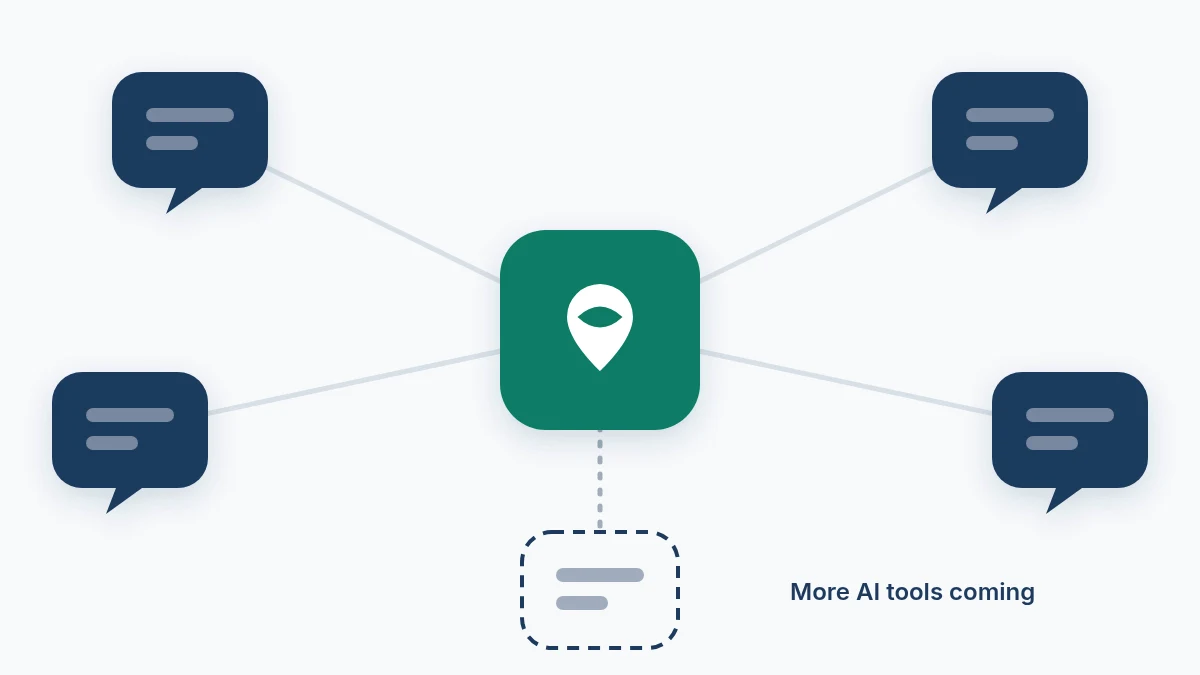
Seen connects to your assistant through MCP (Model Context Protocol), an open standard that lets AI assistants use outside tools. You paste one connection address into your assistant’s connector settings, sign in with your Virtual Results account, then ask in plain English:
- “Check my real estate rankings in Austin.”
- “Who outranks me for ‘homes for sale in Travis Heights’?”
- “Map my Google Maps visibility around my office.”
- “Make a seller SEO snapshot for a listing presentation.”
- “What does ChatGPT say about me as a real estate agent in Austin?” (paid plans)
The assistant uses Seen’s research tools and answers in plain language. It’s told to check with you before any large lookup that uses credits. AI answer checks work from your own assistant as well as in the Seen app, and both are on the paid plans.
Connector support depends on your ChatGPT or Claude plan. The Seen AI assistant setup guide covers ChatGPT, Claude, Claude Code, Codex and any assistant that can add a remote MCP server. If you’d rather not connect anything, Sam, Seen’s built-in assistant, takes the same questions inside the app.
We want more AI tools involved
ChatGPT and Claude are where most people start. They shouldn’t be the only choices. Virtual Results wants real estate agents to use whichever assistant they prefer, in Seen and across our real estate websites.
That’s an open invitation in two directions:
- If you use an AI assistant we haven’t named, tell us which one through the Virtual Results contact page.
- If you build an AI tool and want it to work with Seen, talk to us through the Virtual Results partner program. Any assistant that supports remote MCP servers can connect today.
Seen isn’t run by, endorsed by or affiliated with OpenAI, Anthropic, Google or Perplexity. We name them because they’re where buyers ask.
Google and Maps still count
AI answers add to Google search and Maps rather than replacing them, and a buyer might use all three in one afternoon. For the local side, read how to check your Google ranking as a real estate agent. For what Seen costs and why it isn’t another SEO suite, read Not Another SEO Tool.
See what the assistants say about you
Create your real estate account. The Free plan comes with $1 of credit for keyword ideas and competitor checks. Move to Standard at $10 a month when you want the AI view. All plans are on the Seen pricing page.