Second in our series on building Map Maker. The first post is here.
Most tools you build run on your own servers. If you make a mistake, you’re the one who gets hurt, and you’re the one who can fix it. Map Maker is different in a way that quietly changes everything about how you have to build it: its whole job is to hand the agent a snippet of code that they paste onto their website.
“Here’s your embed code — drop it anywhere on your listing page.”
Read that sentence as a security engineer and a small alarm goes off. The code we generate doesn’t run in our sandbox. It runs on the agent’s production site, in front of the agent’s visitors. Which means any sloppiness on our end isn’t our problem — it’s their problem, landing on people who never heard of us. That reframing is the whole story of this post: when your output executes on someone else’s site, you have to treat it like you’re shipping a library, not a convenience.
The bug that taught us to respect the embed
The map’s settings — its title, the property address, the category names — all get written into the generated code as text. Early on, that text was escaped just enough to look fine in casual testing. The problem is the word “just enough.” Imagine an agent names something with the literal characters </script> tucked inside. In the generated embed, those characters can close the script tag early — and anything after them stops being harmless text and starts being live, executing code on the listing page.
That’s the textbook shape of a cross-site scripting bug, with an extra twist that makes it nastier: the eventual victim isn’t us and isn’t even the agent — it’s the buyer browsing the listing. A “stored XSS by copy-paste,” essentially. The fix was unglamorous and exactly right: escape the dangerous characters properly (the angle brackets, and a couple of sneaky Unicode line separators that can also break out of a string), and move most fields into HTML attributes where the browser treats them as data, never as code. Boring. Correct. The two best adjectives in security.
Don’t trust the helpful robot, either
The address autocomplete is powered by a free, public geocoding service. Lovely — until you remember that a response from any third party is data you didn’t write. The original code dropped those results straight into the page as HTML. If that service were ever compromised or spoofed and returned something with a booby-trapped tag in it, the trap would spring inside our builder.
The fix is a good habit worth stating plainly: build the list out of real elements and set their text, never paste a remote string in as markup. Same lesson as the embed bug, different doorway — anything from outside is guilty until escaped.
Locking a backend that was too friendly
Behind the builder are a few small endpoints that create the Google Sheet each map runs on. In their first draft they were, to put it kindly, trusting: open to the whole internet, no checks. A bored someone with a script could have hammered them to burn through quota, or — because the sheet IDs aren’t secret and ride along in every embed — tried to overwrite a real agent’s map with their own payload. Not great.
The cleanup was a stack of unglamorous controls, the kind that never make a demo but always make the difference:
- Lock the doors to one origin. The endpoints only answer requests coming from Map Maker itself, not from anywhere on the web.
- Validate every input shape. A sheet ID has to actually look like a sheet ID. Payloads have a size cap. The list of nearby places is capped. Every text field has a maximum length. If it doesn’t fit the shape, it doesn’t get in.
- Say less when things go wrong. Error messages got generic on purpose, so a failure never leaks the plumbing behind it.
- Re-check the output at the moment of generation. Even values the form “should” have constrained get re-validated when the code is written — zoom levels clamped to a sane range, colors checked against a strict pattern with safe fallbacks. We assume the form controls can be bypassed, because they can.
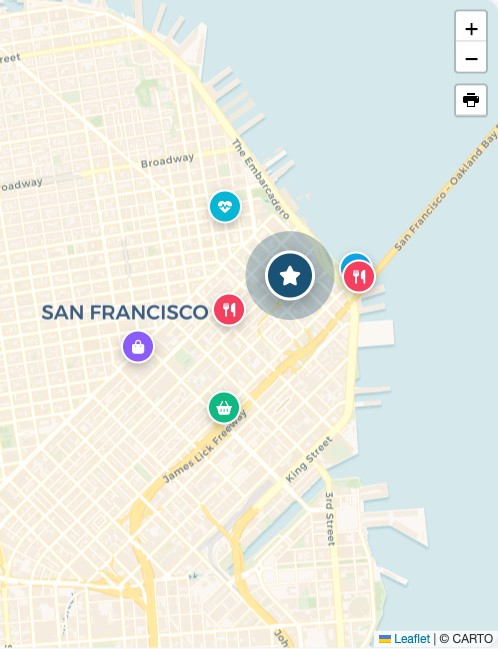
Here’s the artifact all that care is protecting — the live map, running happily on a page that isn’t ours:
The gotcha that lives outside the browser
One more, because it’s a good reminder that “the web” isn’t the only attack surface. The data also lives in a spreadsheet, and a spreadsheet cell that begins with = is a formula. We write all values as raw text so our own writes can never trigger one — but if a malicious value with a leading = sat in a cell and someone later exported the sheet to CSV and opened it in Excel, it could execute there. So untrusted text destined for a spreadsheet gets a harmless prefix to defuse it. The threat model has to follow the data all the way to where a human finally opens it.
One honest note
We’ll resist the urge to claim it’s bulletproof — no one should. Rate-limiting, for instance, is the kind of control that’s best handled at the edge (in front of the app) rather than in the app itself, and that’s where it belongs in our setup. The point of writing it all down — we keep an adversarial security review document for this tool, walking through each issue and its fix — isn’t to declare victory. It’s to make sure the next person to touch the code inherits the paranoia, not just the features.
The takeaway for anyone building embeddable anything: the moment your code runs on a stranger’s website, their visitors are your responsibility. Build like it.
If you’re putting third-party embeds on your real estate site and want a second set of eyes on whether they’re safe, that’s a conversation we’re glad to have.
Series: 1 · Why a proximity map belongs on every listing page → 2 · The security story → 3 · Designing a free tool that sells