From the workbench: a quick tour of how the humble “what’s my home worth?” tool grew up — and a look at a working prototype we built to study what a genuinely good one feels like.
The short version
- The home valuation tool — the “what’s my home worth?” widget on an agent’s site — is one of real estate’s most reliable lead generators.
- Under the hood it’s an automated valuation model (AVM): public records + recent sales + market trends, turned into an estimate in seconds.
- The design has evolved from clunky multi-field forms into instant, address-first, mobile-friendly experiences that respect the homeowner’s time.
- We built an interactive prototype in two design treatments — a classic card and a minimal editorial style — so you can feel the difference. Try the live home valuation tool design →
First, what the tool actually is
Almost every high-performing agent website has some version of it: a box that asks for an address and, a moment later, hands back an estimate of what the home is worth. Homeowners love it because it scratches a real itch — am I sitting on more equity than I think? Agents love it because a person who just checked their home’s value is, very often, a person beginning to think about selling. It’s a conversation starter disguised as a calculator.
The number itself comes from an automated valuation model, or AVM — software that blends public tax records, recent comparable sales, and local market trends into a single estimate. The AVM is the engine. The tool is everything wrapped around it: the form, the flow, the report, and the gentle invitation to talk to a real expert. And that wrapper is where good design quietly does its work.
How home valuation tools grew up
For most of real estate history, “what’s my home worth?” was a question you asked an agent, who answered with a comparative market analysis. Then, in the mid-2000s, the big portals put an instant estimate on every home in the country and made the AVM a household concept. Suddenly homeowners expected a number on demand — and expected it for free.
That changed the job of the agent’s own valuation tool. An estimate alone was no longer impressive; the portals already gave one away. So the design race moved to experience:
- From forms to a single address field. Early tools asked for beds, baths, square footage, and your life story before showing anything. Modern ones lead with one input — the address — and fill in the rest from records.
- From “submit and wait” to instant gratification. The best tools show something valuable in seconds, then invite you deeper, rather than gating everything behind a form.
- From false precision to realistic ranges. A confident “$603,000” is friendlier when it’s paired with a likely range and the comps behind it. Trust comes from showing your work, not from a suspiciously exact number.
- From desktop to thumb. Most of these get opened on a phone at a kitchen counter, so the whole flow has to feel effortless one-handed.
- From hard sell to soft handoff. The modern tool captures a lead by being useful first — deliver the report, then offer a human when the homeowner is ready.
What separates a standout design
To study this properly, we built a working prototype of a home valuation tool and put it through the whole journey. A few principles rose to the top.
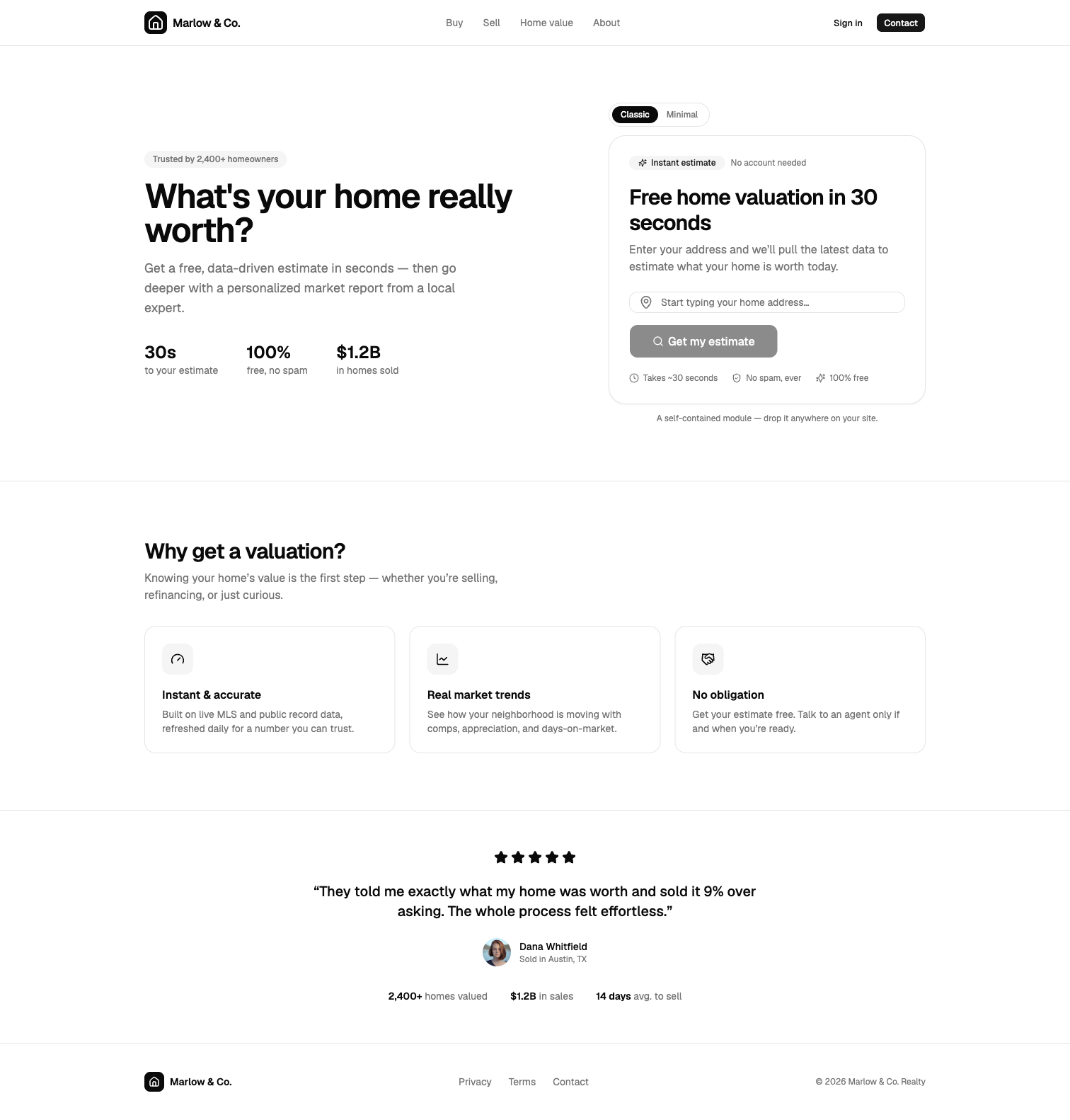
1. Lead with the address, deliver something instantly. The first screen should ask for almost nothing and promise a fast payoff. Our prototype opens on a single “start typing your home address” field with a clear “free, ~30 seconds, no spam” promise.
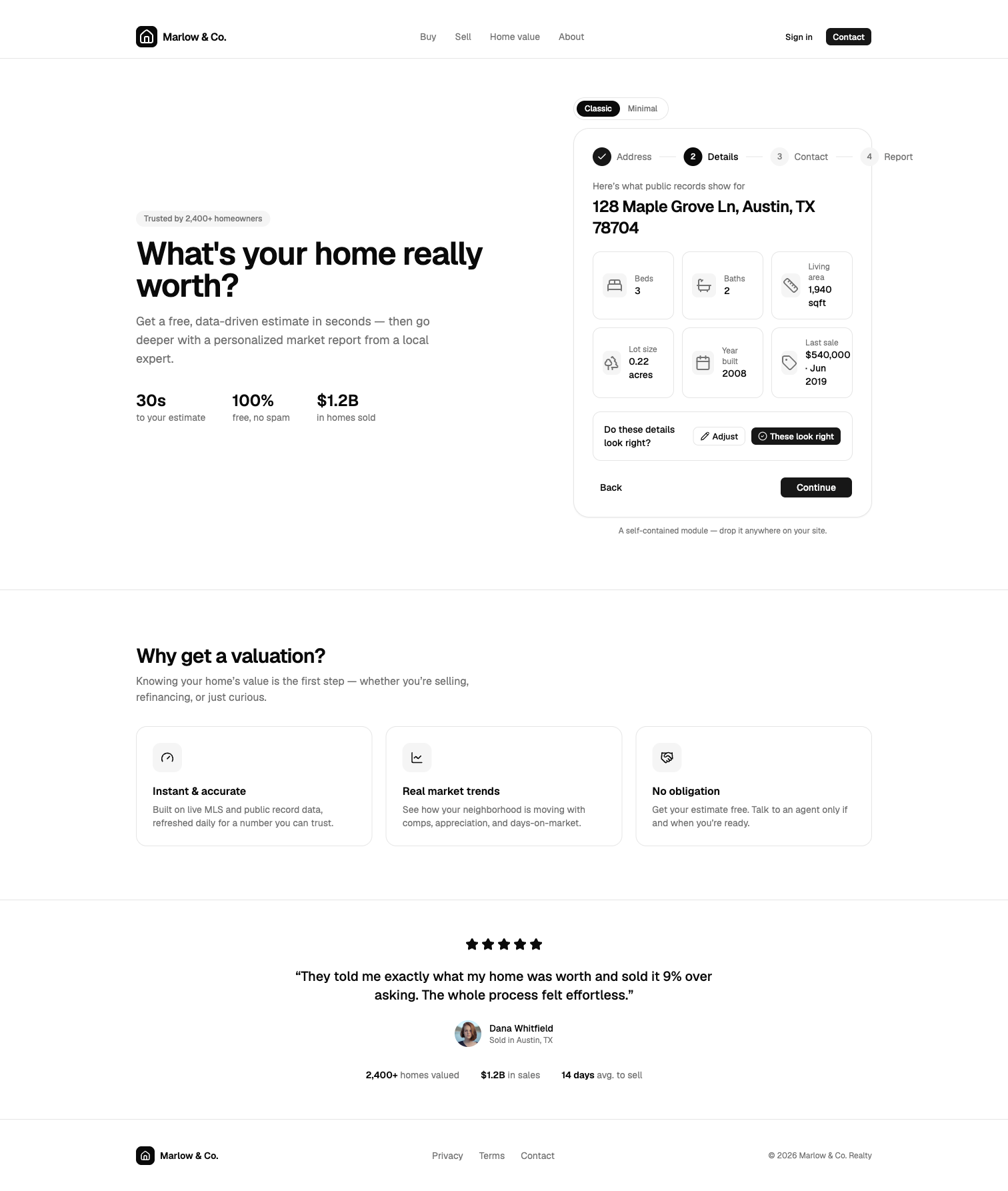
2. Let people confirm the details — it builds trust. After the address, the tool shows the facts it pulled (beds, baths, square footage, last sale) and lets the homeowner correct anything that’s off. That little moment of “yes, that’s my house — well, actually we finished the basement” makes the eventual number feel earned rather than guessed.
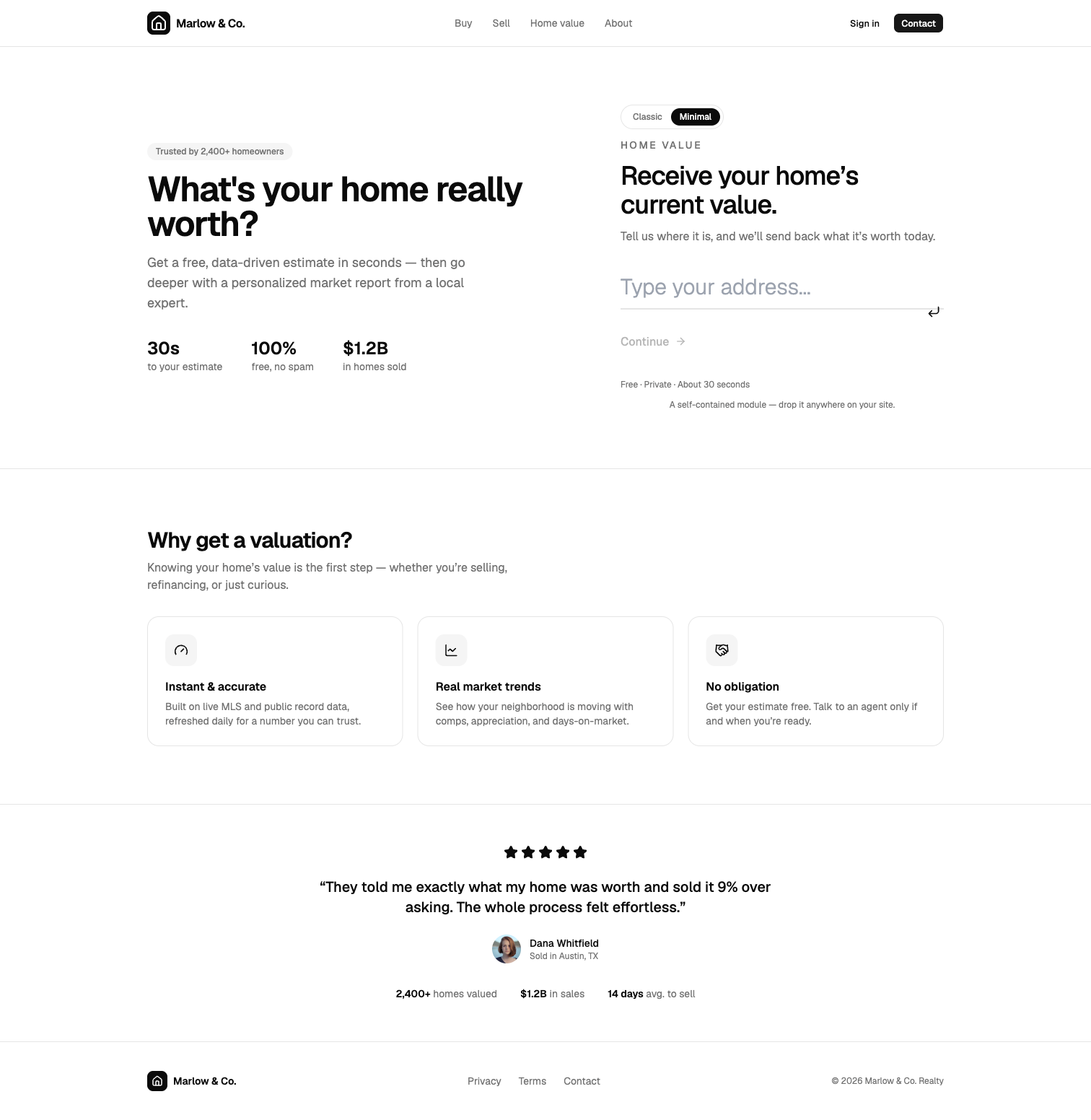
3. One design language doesn’t fit every brand. The same flow can wear very different clothes. We built two treatments from the same engine: a classic card-based look, and a minimal, frameless, editorial style for brands that lean luxury. Same data, two completely different moods.
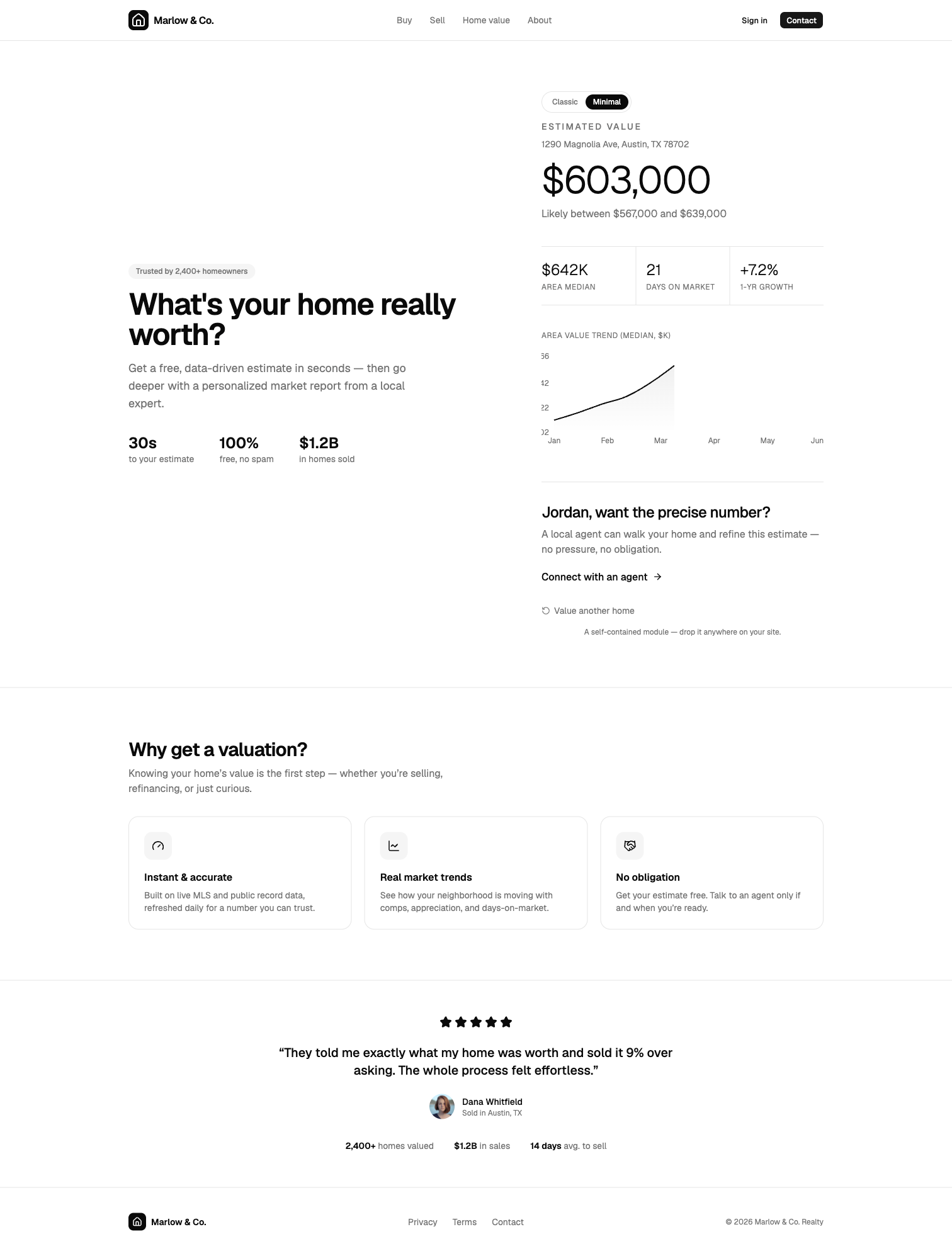
4. Make the report feel like a gift, not a gate. The payoff screen should give a real, straight answer: an estimate, a likely range, a few market signals (median price, days on market, recent appreciation), and a soft, optional path to a human for the precise number. The ask for contact details lands after the homeowner is already invested — right before the most valuable screen.
5. It should drop in anywhere. A great valuation tool is a self-contained module an agent can place on a landing page, a sidebar, or a dedicated “home value” page without a developer. Embeddability is a design constraint, not an afterthought.
See it for yourself
The fastest way to understand any of this is to use it. We put the full prototype online — both the classic and minimal treatments, the address autocomplete, the confirm-your-details step, and the final report — so you can click through the whole experience and toggle between the two looks.
Walk the flow — four taps to a finished report
Here’s the whole experience, start to finish. Tap any step to open the live demo and try it yourself.
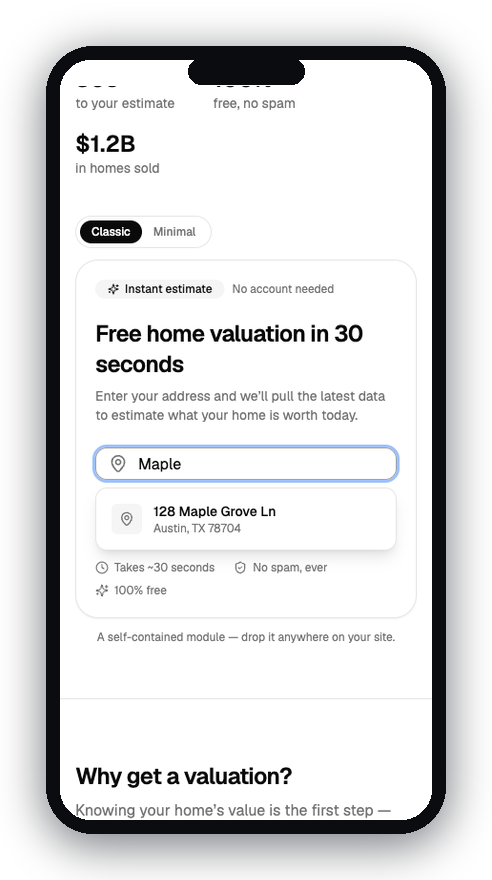 1 · AddressStart typing — autocomplete finds the home.
2
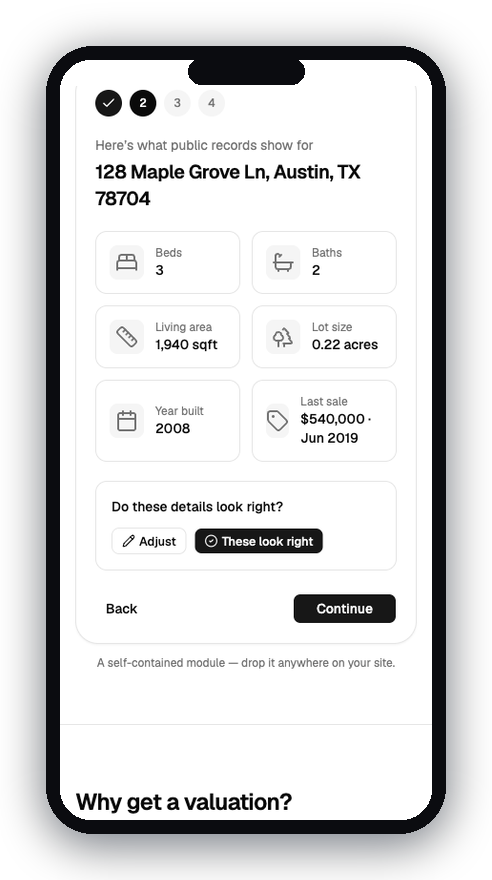 2 · DetailsConfirm the facts pulled from public records.
3
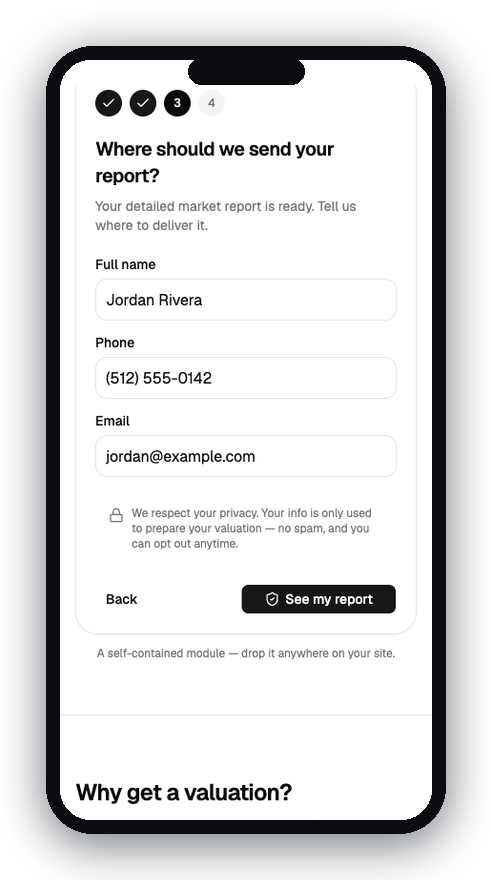 3 · ContactTell us where to send the report.
4
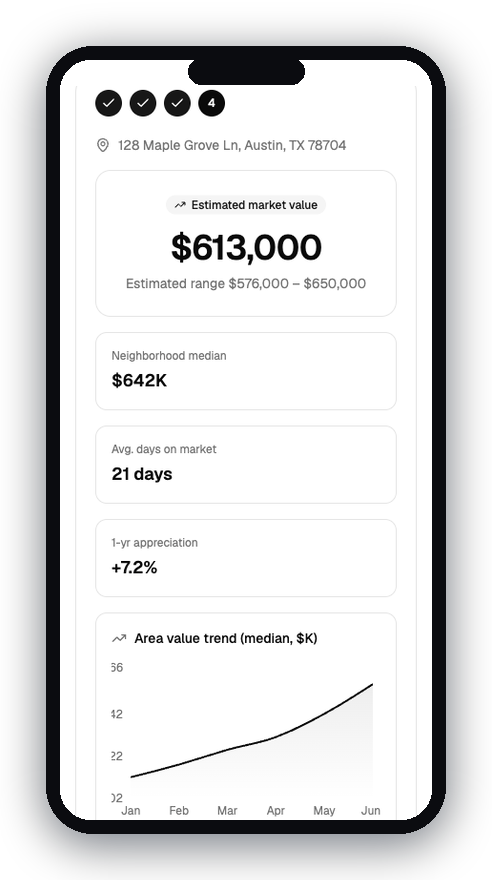 4 · ReportEstimate, realistic range, and market trends.
A quick note: that prototype uses a placeholder brand and sample data, and the estimates are illustrative — it’s a study of design, not a live valuation. The real craft of a home valuation tool is making something powerful feel simple, and making a number feel trustworthy. Get that right and the lead generation takes care of itself.
If you’d like a valuation experience like this built into your own site, that’s the kind of thing we do — say hello.