You search your own name and there you are at the top, headshot and brokerage included. A buyer across town searches “Austin realtor” and gets a different page, one you may not be on at all.
That gap is the problem with checking your own Google ranking. This guide shows a real estate agent how to check it the way a home buyer in your city sees it, in Google search and Google Maps, in about fifteen minutes a month.
Why your own search flatters you
Google tailors results to the person searching. Your location, your search history and the sites you visit all shape the page. When you search your own name, Google already knows who’s asking and what you tend to click.
Your name is also the wrong search. Buyers who haven’t met you don’t know it yet. They type the area and what they want: “homes for sale in Travis Heights,” “Austin real estate agent,” “condos near downtown Austin.” Swap in your own market.
Incognito mode removes some of the history but none of the location. You’re still searching from your desk, in your own zip code.
Check the searches buyers type, from where they type them
A ranking check worth trusting has three parts:
- The right searches: five to ten phrases a buyer or seller in your market might type, including at least one neighborhood name and one “for sale” search.
- The right place: results as searched from your city, not from your laptop and its history.
- A record: your position for each search, written down with the date, so next month’s check means something.
You can do this by hand. Ask a friend on the other side of town for screenshots, or set a VPN to your city. That works for a one-time look. As a monthly habit it gets tedious, and one screenshot can’t tell you whether you’re rising or slipping.
Google Maps has to be checked from many points
For many local searches, Google shows a map and a short list of businesses above the regular results. Whether your real estate office appears in that list depends heavily on where the searcher is standing.
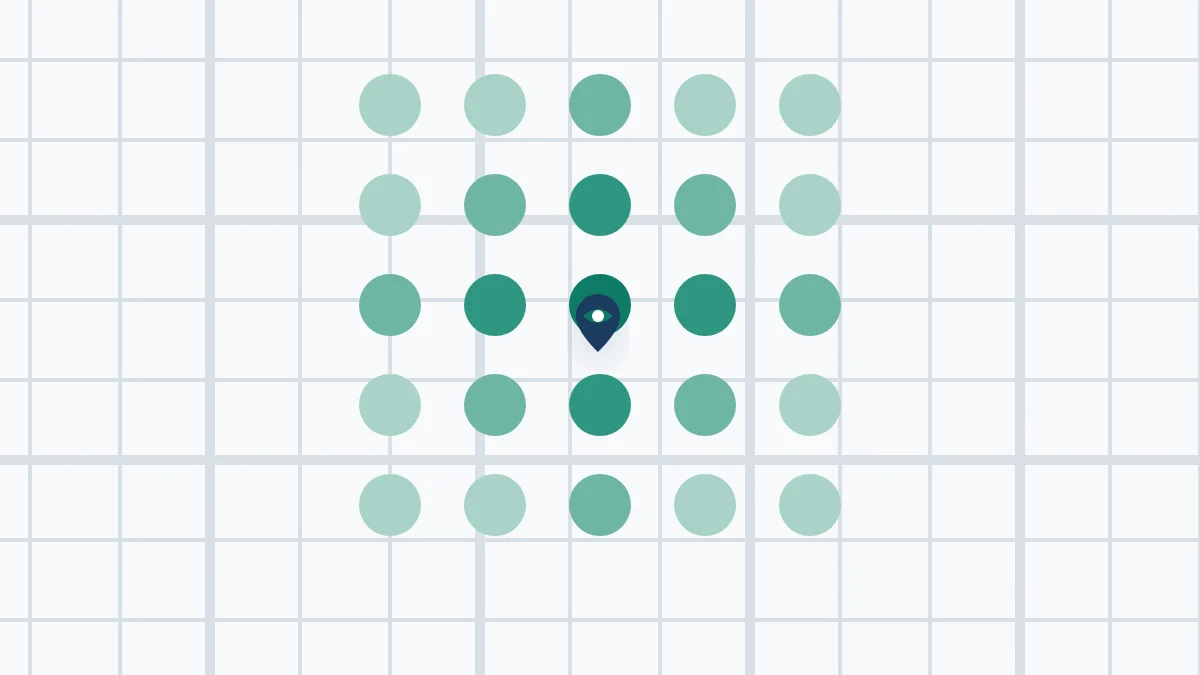
So a Maps check from your office tells you how you look from your office. A buyer ten minutes away can see a different list. The useful view is a grid: the same search, checked from points spread across the area you serve, showing where you appear and where you drop off.
If your map results look thin, start with your Google Business Profile. Your categories, service area, reviews, hours and contact details all feed what Google shows, and they’re the parts you control.
How Seen runs the check for you
Seen is a low-cost Virtual Results benefit, open only to licensed real estate agents. It was built for this job: show where you stand, then get out of your way.
- Rank by city: Seen checks your Google rank for the searches you choose, as searched from your city without your search history. It’s on the paid plans (Standard at $10 a month, Pro at $25 a month), with scheduled tracking, so the monthly record keeps itself.
- Google Maps visibility: there’s no Maps screen in Seen yet. Ask Sam, Seen’s built-in assistant, or the AI assistant you already use: “Map my Google Maps visibility around my office.” It checks Maps results across your farm area and reports where you show up. Maps checks use credits on any plan, including Free.
- Your Google Business Profile: a connected AI assistant can read your profile, reviews and questions, which is the first place to look when Maps results are weak.
Seen won’t promise you a ranking, because nobody honestly can. It shows what’s true today so you can decide what, if anything, deserves your time.
A fifteen-minute monthly routine
Once your searches are picked, the routine takes five steps:
- Check your rank for each search, as searched from your city.
- Ask Sam or your AI assistant to map your Maps visibility around your office.
- Note where you stand and what changed since last month.
- Pick one thing to fix, or decide nothing needs fixing.
- Close the tab and get back to clients.
The point is to notice change early, not to chase daily movement. Rankings move for reasons you don’t control, and a one-day dip isn’t a reason to rebuild your website.
Google and Maps aren’t the only places buyers look
Some buyers now skip the search page and ask an AI assistant who to call. Seen’s paid plans show whether ChatGPT and Google AI Overviews mention you, and our post on what ChatGPT says when buyers ask for a real estate agent covers that side.
If you’re wondering whether you need another SEO tool at all, Not Another SEO Tool explains what Seen is, what it isn’t and what it costs.
Start with where you stand
Create your real estate account. The Free plan includes $1 of credit for keyword ideas, competitor checks and Google Maps checks through Sam or your AI assistant. Rank by city and scheduled tracking start on Standard at $10 a month. Compare plans on the Seen pricing page.
Check where you stand, then get back to selling.