It’s not another app. It’s a doorway — and you hold the keys.
Every piece of software you’ve ever added to your real estate business — your CRM, your transaction management platform, your email marketing tool — asked you to log in, click around, and do the work yourself. An MCP server flips that. It lets an AI assistant walk through the door and do the work, because you handed it a key.
That’s the whole idea — and it’s what we’re exploring throughout this series. The rest of this article is just filling in the details.
Jump to a section
- The One-Sentence Version
- The Building Metaphor
- What MCP Actually Stands For
- A Day With the Keys: Maria’s Scenario
- What an MCP Server Is Not
- Why This Matters for Your Website Specifically
- The Short Version
[ywost_series_toc current=”what-is-mcp”]
The One-Sentence Version
An MCP server (Model Context Protocol — think of it as your website’s AI connection) is a standard way for an AI assistant to safely see and use a real system, instead of just describing what it would do.
Anthropic, the company that created the protocol, defines MCP as an open standard for connecting AI systems to the tools and data sources they need to actually get work done, rather than operating on guesses or stale training data (Anthropic, Model Context Protocol documentation). Anthropic has also described the goal plainly: give AI assistants a consistent way to connect to the places where real information and real actions live, instead of every company building a one-off, brittle integration for every AI tool (Anthropic News, “Introducing the Model Context Protocol”).
Translated for real estate: an MCP server is what makes it possible for you to ask an AI assistant to publish a blog post, update a listing, or check your site’s contact form submissions — and have it actually happen, on your real website, not in a hypothetical.
The Building Metaphor
Picture your website as an office building.
For years, “connecting” software to your website meant handing someone a photocopy of one room — a spreadsheet export, a screenshot, a PDF. They could look at the copy, describe it, summarize it. They couldn’t walk into the building and use anything in it.
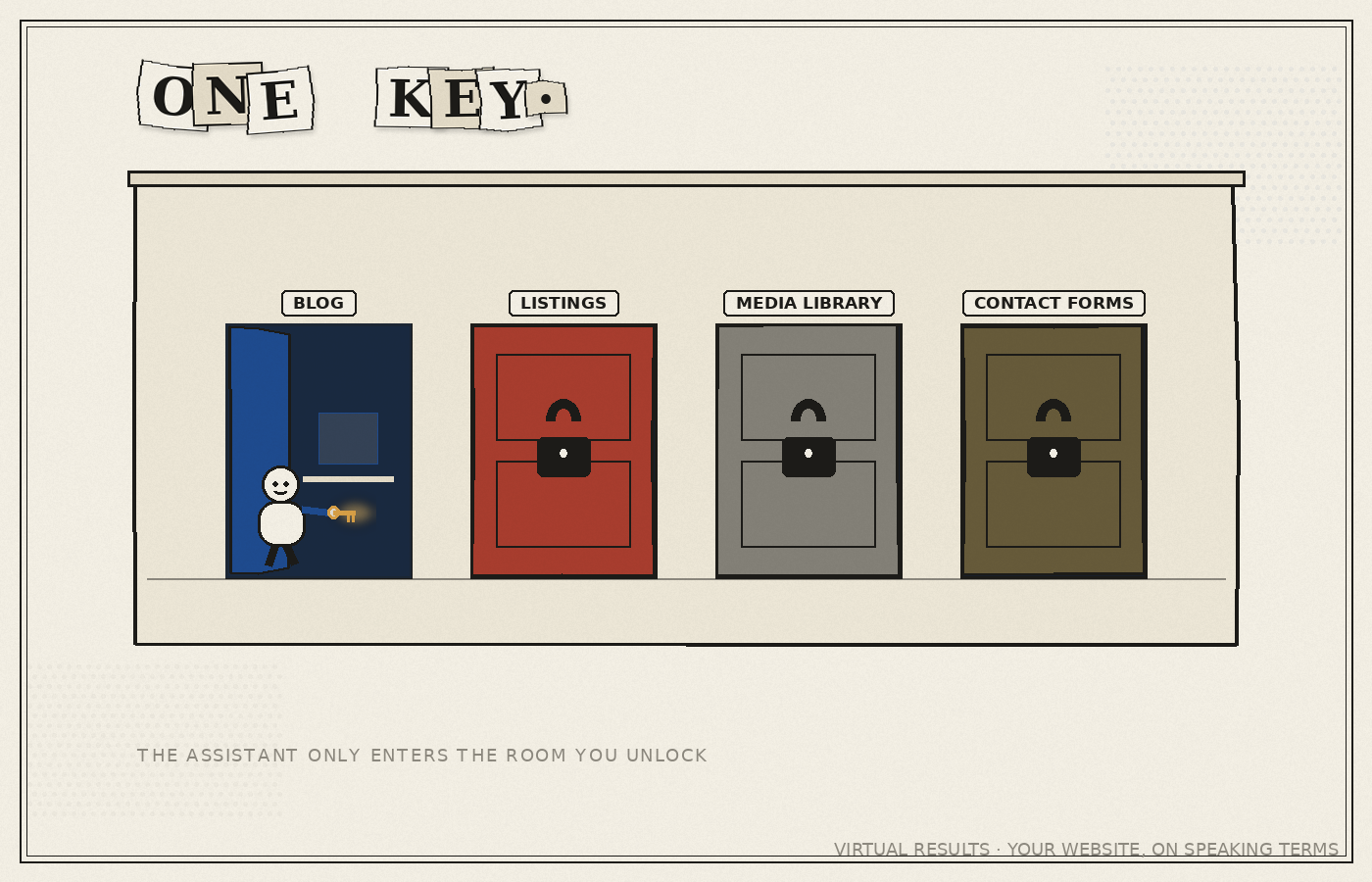
An MCP server is a set of keys to the actual building. When your website has one installed, an AI assistant with the right key can walk in, go to the room it needs — the blog, the listings, the media library — and do something there, then leave. Not a description of the room. The room.
You still decide who gets a key, and which doors each key opens. That’s the part worth sitting with: keys can be limited. A key that opens the blog doesn’t have to open the listings. A key you hand your marketing assistant doesn’t have to open the same doors as the one you keep for yourself. We cover exactly how that access is controlled in Who Holds the Keys? Authentication and Security, Explained — for now, just know that “the AI has keys” does not mean “the AI has every key.”
What MCP Actually Stands For
MCP stands for Model Context Protocol. Each word is doing a job:
- Model — the AI assistant itself (Claude, ChatGPT, or similar).
- Context — the real, current information and actions the assistant needs from your world, not what it memorized during training.
- Protocol — a shared set of rules, the way “https” is a shared set of rules that lets any browser talk to any website.
That last word is the important one. A protocol is not a product built by one company for one purpose. It’s a common language. Anthropic published MCP as an open standard specifically so that any AI assistant and any system — a website, a database, a piece of software — could speak it the same way (modelcontextprotocol.io). That is why a VR MCP server can eventually be used by more than one kind of assistant, a topic we walk through in Connect Claude to Your Website in 10 Minutes.
A Day With the Keys: Maria’s Scenario
Maria runs a five-agent boutique brokerage outside Austin. It’s Tuesday, 9:40 p.m., and a seller just texted her: drop the price on the Riverside Drive listing by $15,000, effective immediately, because a competing listing two doors down just cut theirs.
The old way: Maria opens her laptop, logs into the CMS, finds the listing, edits the price field, checks that the change didn’t break the layout, and re-checks the blog post she wrote about the property last month because it still lists the old price. Twenty minutes, on a Tuesday night, after a full day of showings.
The new way: Maria sends her assistant a message — “Update the Riverside Drive listing price to $464,900, and check if any blog posts mention the old price.” The assistant, connected to her website’s MCP server, opens the listing, changes the number, searches the blog for the old figure, finds the reference, and asks Maria one clarifying question: “Found one blog post mentioning $479,900 — want me to update that line too, or leave the post as-is?” Maria replies “update it.” Done. Ninety seconds, no laptop required.
Nothing about the underlying website changed. What changed is that Maria now holds a key that opens both the listings room and the blog room, and she can hand a task to someone who knows how to use it.
What an MCP Server Is Not
It helps to rule out a few things this is commonly confused with.
It’s not a chatbot widget. A chatbot on your website talks to your visitors. An MCP server lets an assistant talk to your website’s systems on your behalf. Different direction entirely.
It’s not a data scraper. Several products marketed today as “real estate MCP servers” — from data vendors like Bright Data and Apify — pull public listing data into an AI so it can answer questions about the market. That’s useful for research, but it’s one-way, and it isn’t about your own site. An MCP server on your own website works the other direction: it lets an assistant reach into your site and operate what you already own.
It’s not the same thing as an automation platform. If you’ve used Zapier or a similar tool, you’re used to setting up fixed “if this, then that” recipes ahead of time. MCP works differently — it hands an assistant a set of capabilities and lets it figure out, in the moment, which ones to use for the request in front of it. We go deep on that distinction in Isn’t This Just Zapier?.
It’s not magic, and it’s not unsupervised. The assistant only has the keys you’ve given it, only to the doors you’ve unlocked, and (depending on how you’ve set things up) it can be required to check with you before anything gets published or changed. Nothing walks into your building unannounced.
Why This Matters for Your Website Specifically
The real estate industry is currently fighting over who controls access to listing data — feed cutoffs, private listing networks, and a live antitrust lawsuit between Zillow and Compass over exactly this question . We cover that fight in detail in The Listing Data Wars, but the short version is: distribution of listing data is contested territory right now, and nobody knows exactly how it settles.
Your website is not contested territory. You already own it outright. An MCP server is what makes that ownership actually useful in the age of AI assistants — it turns “I have a website” into “I have a website I can operate by asking,” on the one channel nobody can cut you off from. That’s the thread running through this entire series, starting with Your Real Estate Website Can Take Instructions Now and continuing through how the connection actually works under the hood.
The Short Version
An MCP server is a doorway between an AI assistant and your real website — a standard, open way (not a proprietary trick) for the assistant to walk through and do real things, using only the keys you’ve handed it. It is not a chatbot, not a scraper, and not a fixed recipe book. It’s closer to giving a trusted assistant an actual set of keys to an actual building you own.
This is article two of a series on what that connection makes possible for real estate professionals. Read the rest of the series to see how it stacks up against tools you may already use, how the connection is secured, and what you can actually ask your website to do.
Previous: Your Real Estate Website Can Take Instructions Now
Next: “Isn’t This Just Zapier?” — No, and Here’s the Difference