“Post a landing page for 12 Oak Street.” That’s it. That’s the workflow.
No login screen. No page builder. No dragging blocks into place at 11 p.m. before a broker preview. An agent named Maria types that one sentence into a chat window, and her website’s AI connection reads it, builds the page, and drops it into her drafts folder for a final look before it goes live.
This is the first article in a series called “Your Website, On Speaking Terms.” It’s about a new kind of connection between agents and the websites they already own — one that takes plain-English instructions instead of clicks. This article is the map for the whole series. Read on for what the connection is, why now, and where to go next depending on what you need.
Jump to a Section
- The Old Way of Updating a Website
- What Changed
- Meet the MCP Server
- Why This Matters More Than Ever
- A Day With the Connection Turned On
- Where This Series Goes
- Start With the Next Article
[ywost_series_toc current=”overview”]
The Old Way of Updating a Website
For most agents, “updating the website” means one of three things: waiting on a marketing coordinator, wrestling with a page builder between showings, or paying someone else to do it and hoping the turnaround is fast enough to matter.
None of those options move at the speed a listing does. A price cut on a Tuesday night shouldn’t wait for Wednesday’s to-do list. A just-sold announcement loses most of its value if it posts three days after the sign comes down.
Tools like Zapier promised to close that gap by automating fixed sequences — when X happens, do Y. They help, but they only run the recipes someone pre-built. Ask them for something the recipe didn’t anticipate, and you’re back to doing it by hand. The next article in this series, Isn’t This Just Zapier? — No, and Here’s the Difference, goes deep on exactly where that comparison holds up and where it breaks down.
What Changed
What changed isn’t the website. It’s what can talk to it.
Over the past few years, AI assistants like Claude and ChatGPT got good at understanding plain instructions and taking multi-step action to carry them out — not just answering questions, but doing things: drafting a post, filling in fields, checking a box, submitting a form. The missing piece was a safe, standard way for an assistant to reach into a specific piece of software and actually operate it, instead of just describing what a human should click.
That standard now exists, and real estate is one of the first industries where it’s been built into a live product.
Meet the MCP Server
The connection that makes Maria’s landing-page request work is called an MCP server (Model Context Protocol — think of it as your website’s AI connection). MCP is an open standard, published by Anthropic, that defines how an AI assistant can securely connect to and operate a piece of software it doesn’t otherwise have access to (modelcontextprotocol.io).
Virtual Results built an MCP server for real estate websites. In practice, that means an agent can open Claude, ChatGPT, or another connected assistant and ask their own website to do something — publish a post, edit a listing, update a bio — the same way they’d ask an assistant to summarize an email.
The next article, What Is an MCP Server? A Plain-English Guide for Real Estate Pros, unpacks the mechanics without jargon. If you want the engineer’s-eye view of what’s actually happening between the assistant and the website, that lives in Under the Hood: How the VR MCP Server Actually Works — the one technical article in the series, clearly marked as such.
It helps to picture the difference this way: a Zapier-style automation is a vending machine — you pick from a fixed row of recipes someone stocked in advance. An MCP connection is more like handing a trusted assistant a set of keys to the building. They can move around and do real work inside it, within limits you set — they’re not limited to the one snack that happened to be loaded into slot B4.
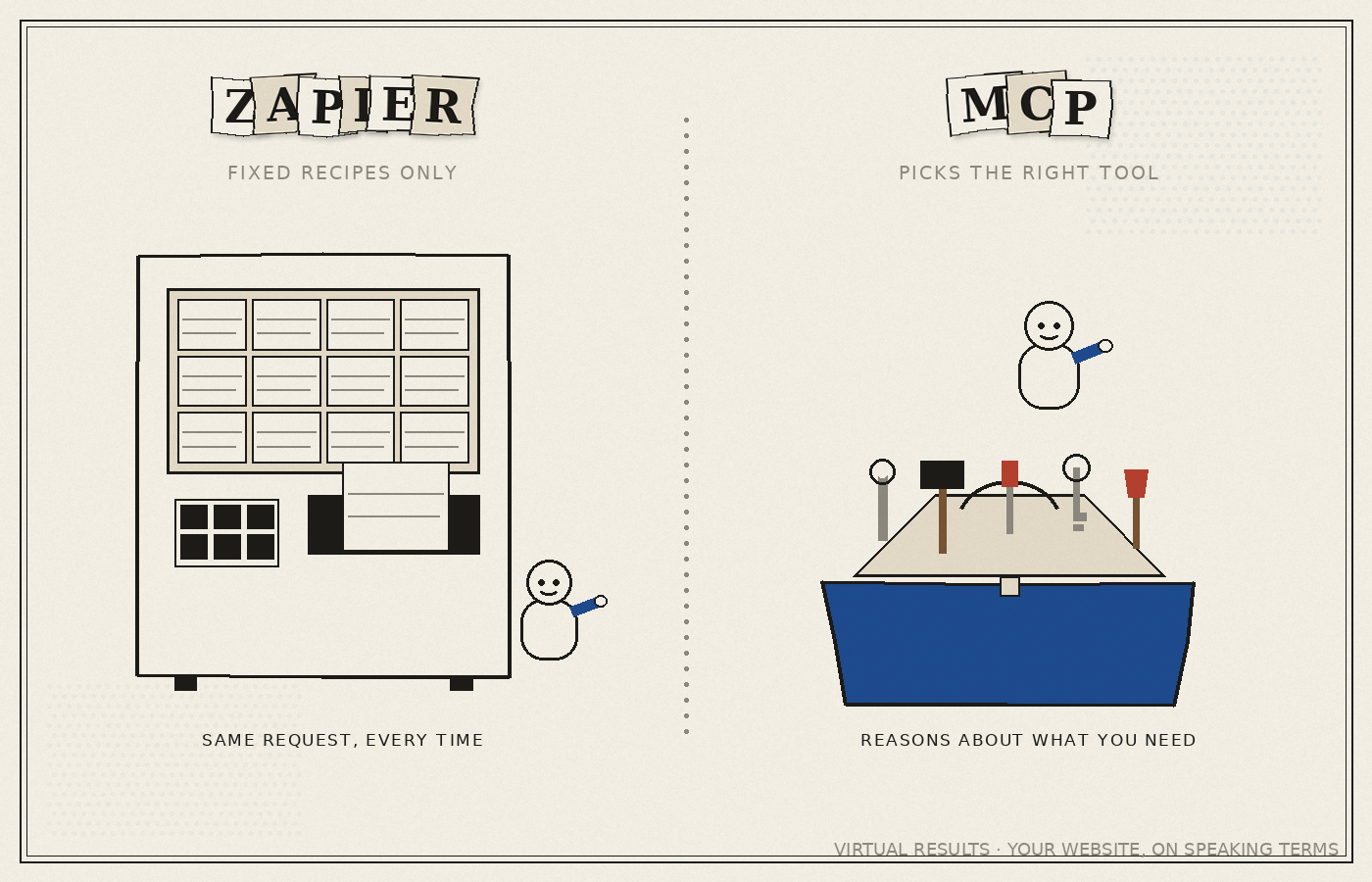
That “keys to the building” idea matters enough that it gets its own article: Who Holds the Keys? Authentication and Security, Explained covers exactly what an assistant can and can’t do, and how agents stay in control of the front door.
Why This Matters More Than Ever
There’s a reason “own your channel” isn’t just a slogan right now — it’s a live business risk.
Real estate is in the middle of a genuine fight over who controls access to listing data. Zillow’s Listing Access Standards, Compass’s move toward private exclusives and private listing networks, and a lawsuit — Zillow v. MRED and Compass, filed in May 2026 in the Northern District of Illinois — are all part of the same underlying dispute . A feed cutoff in the Chicago area reportedly affected roughly 43,000 listings , and the industry’s long-standing Clear Cooperation Policy is under real strain .
We’re not here to referee that fight, and reasonable people disagree about how it should resolve. What isn’t in dispute is this: however the data-sharing rules shake out, an agent’s own website is the one channel they fully own outright. Nobody can cut off a feed to a page you control. The full context on this fight — and why it makes an owned website more valuable, not less — is in The Listing Data Wars: Why Owning Your Website Matters More Than Ever.
It’s worth being clear about what this series is not about. Other companies market “real estate MCP servers” too — Bright Data, Apify’s Redfin tools, BatchData, and various agentic-ops platforms. Those are data-extraction tools: they pull listings and property records into an AI system. What Virtual Results built runs the other direction — it lets an AI operate the website an agent already owns. Both categories are useful. They are not the same thing, and this series is about the second one.
A Day With the Connection Turned On
Here’s what that looks like for a few different agents.
Maria gets a price change on 12 Oak Street at 9 p.m., the night before an open house. Instead of emailing her marketing coordinator and hoping it’s done by morning, she opens Claude and says, “Update the price on 12 Oak Street to $649,000 and note the new price in the headline.” The draft is ready in under a minute. She reviews it on her phone and approves it. Full step-by-step version: How to Create or Edit a Listing by Asking.
David closes a sale on Friday afternoon and wants a “just sold” post live before the weekend, complete with a short write-up and the closing photo. He asks for it in one sentence instead of opening a page builder. The mechanics are covered in How to Publish a Blog Post by Asking for One.
Priya runs a six-person team and wants everyone connected, not just her. Getting a whole office set up — with the right permissions for each person — is covered in Getting Your Whole Team Connected, and the security model behind who can do what is in Who Holds the Keys?.
Each of these agents connects a different way. Some use Claude directly (Connect Claude to Your Website in 10 Minutes), some use ChatGPT or Codex (Connect ChatGPT and Codex to Your Website), some prefer the command line (For Power Users: Connecting from the Command Line), and some want a point-and-click setup with no terminal in sight (No Terminal Required: GUI Ways to Connect).
Where This Series Goes
This article is the hub for the full series. Here’s every article in it, in order:
- Your Real Estate Website Can Take Instructions Now — this article (
/overview) - What Is an MCP Server? A Plain-English Guide for Real Estate Pros
- Isn’t This Just Zapier? — No, and Here’s the Difference
- Under the Hood: How the VR MCP Server Actually Works
- How to Publish a Blog Post by Asking for One
- How to Create or Edit a Listing by Asking
- Connect Claude to Your Website in 10 Minutes
- Connect ChatGPT and Codex to Your Website
- For Power Users: Connecting from the Command Line
- No Terminal Required: GUI Ways to Connect
- Getting Your Whole Team Connected
- Who Holds the Keys? Authentication and Security, Explained
- The Listing Data Wars: Why Owning Your Website Matters More Than Ever
- Beyond Blog Posts: 12 Things You Can Ask Your Website to Do
- Questions to Ask Before Adding AI to Your Website
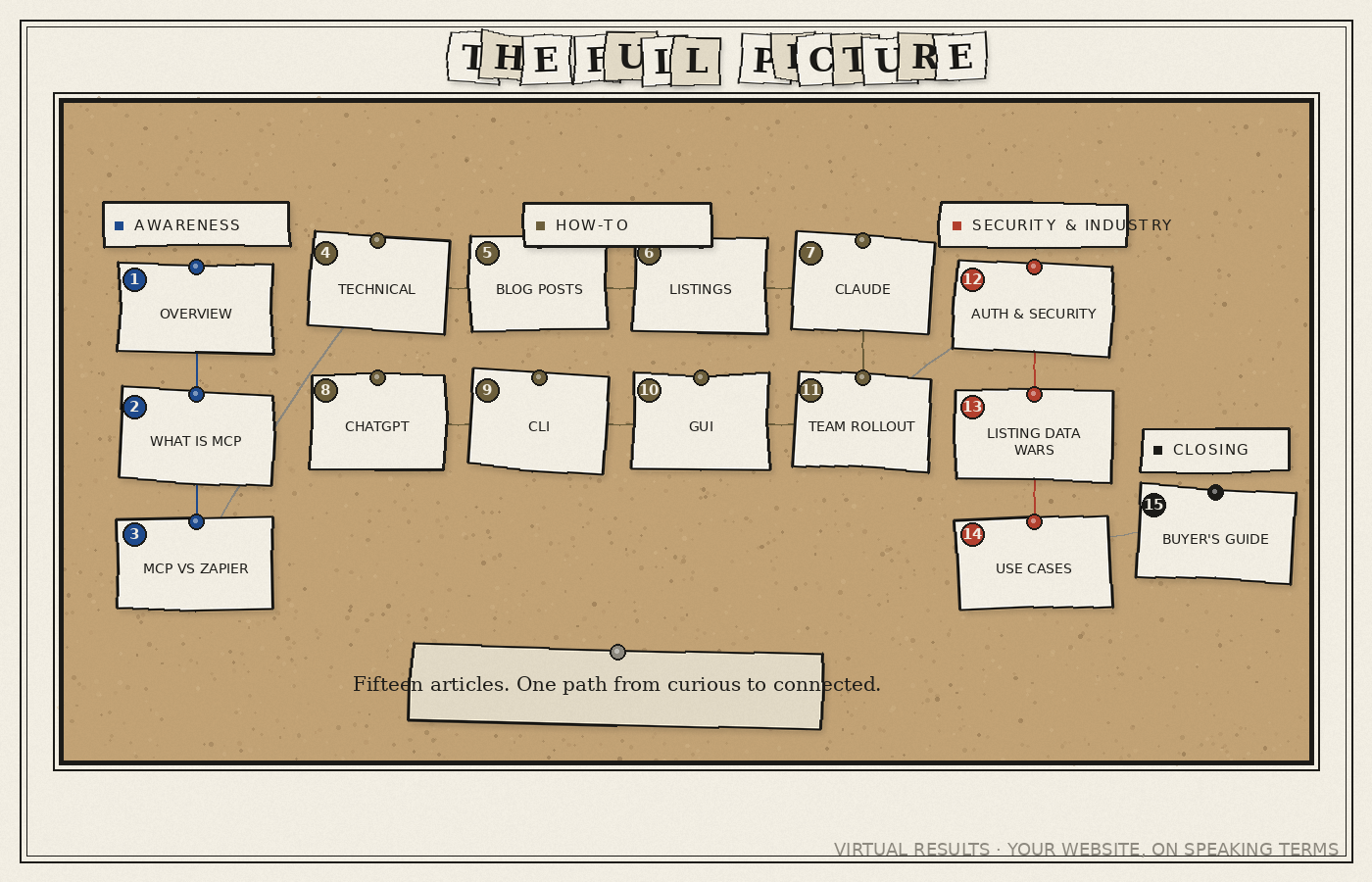
You don’t need to read them in order. If you’re wondering whether this is just another automation tool, start with #3. If you want to see it in action first, jump to #5 or #6. If security is your first question — it usually is — go straight to #12.
Start With the Next Article
The best next stop is the plain-English explainer: What Is an MCP Server? A Plain-English Guide for Real Estate Pros. It answers the question most agents ask first — what is this thing, actually — without any code or jargon.
Read the series. It was written for agents, not developers.
Previous: None — this is the first article in the series.
Next: What Is an MCP Server? A Plain-English Guide for Real Estate Pros