Last in our series on building Map Maker. Start with Part 1 and Part 2.
Map Maker is a free utility. By the unwritten rules of the genre, that means it was supposed to look like tax software — gray, functional, forgettable. We went the other way on purpose, and this post is about why a free tool earned a full, opinionated design system, and what’s actually in it.
The reasoning is simple and a little self-interested:
The tool’s polish is the sales pitch. If the thing that makes your map looks cheap, you won’t trust the map — or the company behind it.
An agent is about to put our output on their own listing page, in front of their own clients. If the builder feels premium, they believe the embed will be premium. If it feels like a free utility, they assume the embed will look free too. So the design isn’t decoration. It’s the argument.
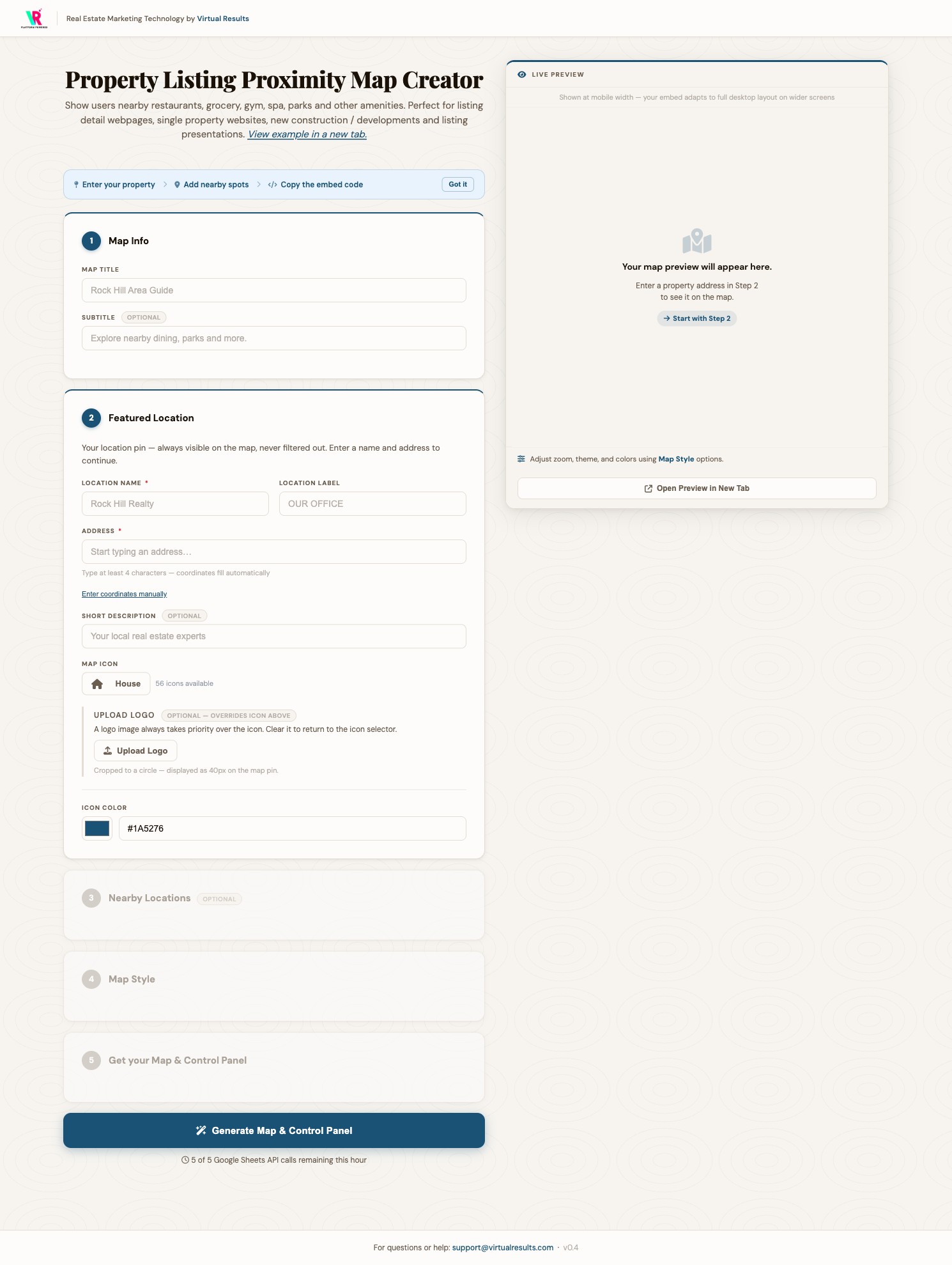
First, we decided what it must not look like
A useful way to find a voice is to name the voices you’re rejecting. We wrote down three:
- The enterprise dashboard (think Salesforce, HubSpot) — data-dense, toolbar-heavy, designed for power users who live in it all day. Wrong for a tool you visit once per listing.
- The commodity real estate platform — the blue-orange-white, stock-photo, template look. Instantly familiar, instantly forgettable, and the exact aesthetic our clients are trying to rise above.
- The generic builder (Wix, Canva energy) — flat, neutral, system-font, no point of view. Competent and anonymous.
Naming the anti-references did more for the design than any moodboard. Everything after that was just “not those, and here’s what instead.”
“Ink & Parchment”: a few rules, strictly kept
What we landed on we call Ink & Parchment — it’s meant to feel like a well-made property brief, the kind of document a good agent hands a client without apology. Warm cream surfaces instead of clinical white. One deep, authoritative blue. Warm near-black text that reads like ink on paper. The interesting part isn’t the palette, though — it’s that the system is governed by a handful of named rules we don’t break:
- The Purity Ban. No pure black, pure white, or pure gray. Every neutral is tinted warm — if a new color can’t pass the “more red than blue” test, it doesn’t get in. It’s why the tool feels like paper and not a screen.
- The One Voice Rule. The single accent blue is allowed on no more than about a tenth of any screen. Its authority comes from scarcity — when it appears, it means “this matters: act here.” Spend it everywhere and it means nothing.
- The Serif Guest Rule. The elegant display serif appears in exactly two places — the page title and modal headings — and nowhere else. It’s a guest, not a resident; the workhorse sans-serif does all the actual labor. A serif used everywhere stops feeling special.
- Flat by default. Surfaces are flat at rest. Shadows aren’t ambient decoration — they’re feedback, appearing only when you hover, focus, or open something. Depth means interaction.
Rules like these sound fussy written down. In practice they’re a gift: they turn a thousand little “what color should this be?” decisions into one answer, and they keep a tool that five people might touch from drifting into mush.
The one dark room in a bright house
There’s a single dark surface in the entire light-toned tool: the box that holds your finished embed code, rendered in warm cream text on near-black, like a proper code editor. That contrast is doing a job. It marks a boundary — everything light is configuration, the place where you make decisions; the dark zone is output, the thing you take with you and paste into your site. You feel the shift from “building” to “done” without anyone having to label it. Design as a quiet signpost.
The unglamorous half: accessibility
None of this counts if some people can’t use it. Contrast minimums are a stated floor, not an afterthought — that warm-on-warm palette gets checked so text stays legible. Every interactive element has a visible focus ring (it’s a defined part of the system, not a browser default we forgot to remove), and icon-only buttons carry proper labels for screen readers. “Premium” that only works for some people isn’t premium. It’s just pretty.
Why a free tool deserved all this
The throughline across this whole series — the proximity map, the security work, and this design system — is the same idea wearing three outfits: trust is built from finish. A buyer trusts an agent who clearly knows the neighborhood. An agent trusts an embed that was built carefully enough to be safe on their site. And everyone trusts a tool that looks like its maker sweated the details. The map is the product. The care is the brand.
If you want your real estate site — tools, listings, and all — to feel like it was built by people who sweat the details, come say hello. And if you just want to make a map, it’s right here: map-maker.virtualresults.com.
Series: 1 · Why a proximity map belongs on every listing page → 2 · The security story → 3 · Designing a free tool that sells