How the Byline Interview Works: Talk for 15 Minutes, Get Quoted by Name
Got a Byline interview link? Talk for about 15 minutes, approve your answers, check a few facts, and your guide quotes you by name. Here’s every screen.
Ryan Rockwood · 7 min read
On this page
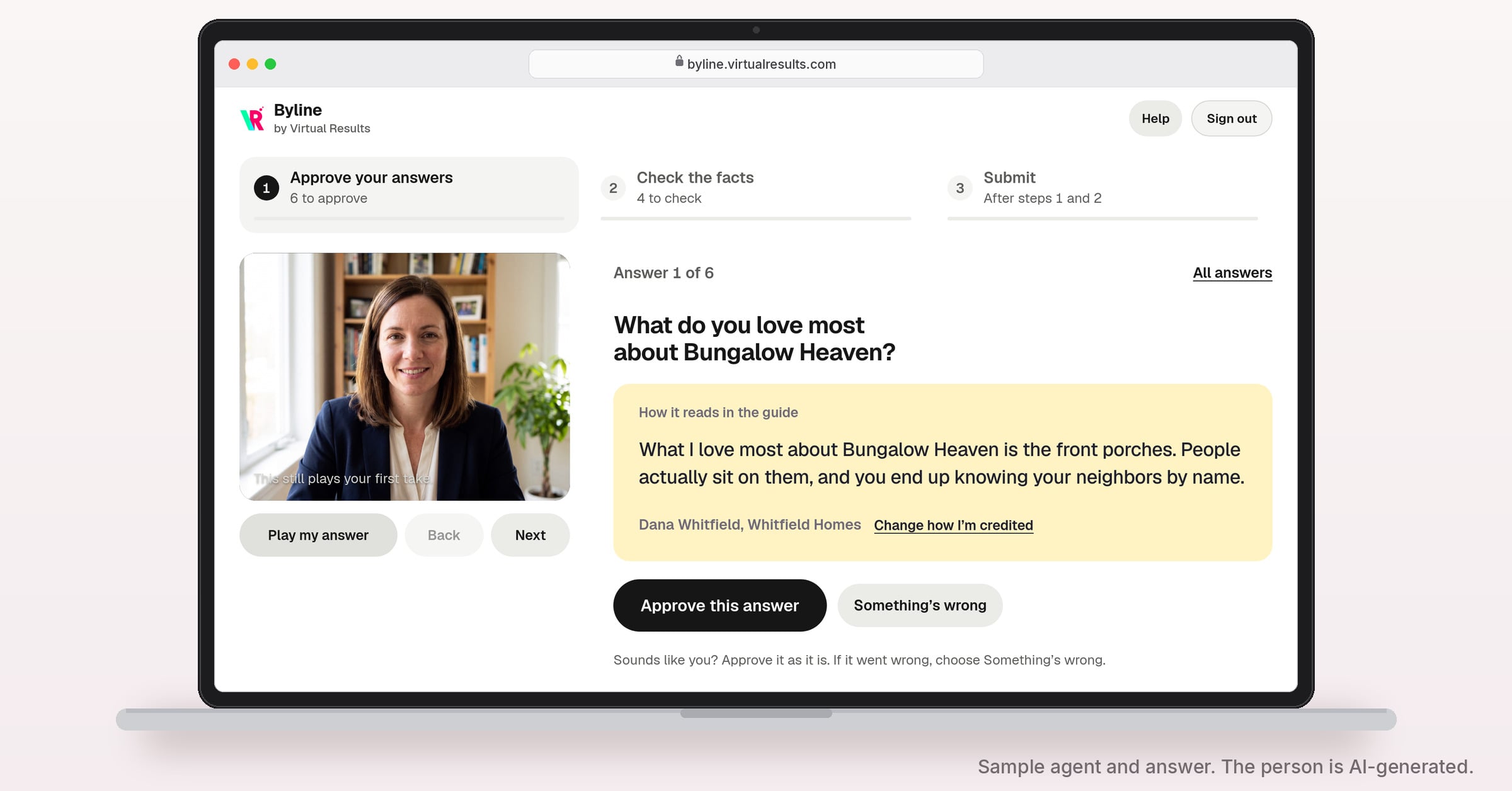
Above: Byline’s review page, with a sample agent and answer. The person in the picture is AI-generated.
TL;DR: Got a Byline interview request? Here’s what it’s all about
- What Byline is. We write a guide to your area for your site. Byline adds your own words to it, quoted with your name.
- What the interview is. A video call with Riley, our AI interviewer. Riley asks one question for each spot in the guide that needs your voice. It runs in Chrome or Safari on a computer or phone, with no app and no password.
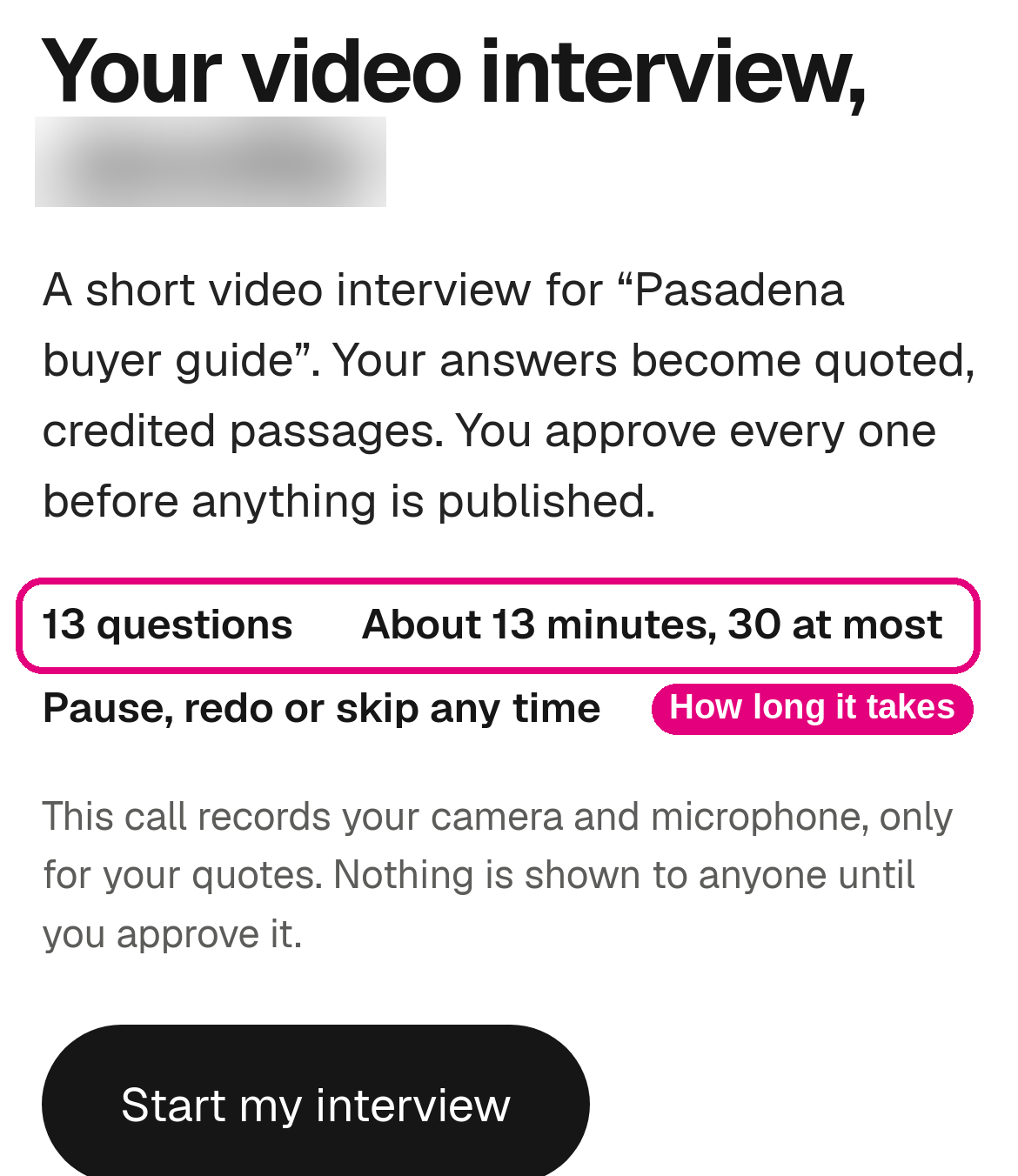
- How long it takes. The call takes about 15 minutes, and the review about 15 more. Pause, redo or skip any question, and pick up later from the same link.
- The review step. After the call, you review your answers from the same link: approve each one, check a few facts and press Submit. Only you can approve your answers. Your site’s administrator can help check the facts. Nothing goes on your site until you’ve approved it.
- What you get. Quotes no other site has, each with your name on it and, if you choose, the video or audio of you saying it.
You know which street backs up at school pickup, and why one block sells faster than the next. A Byline interview puts that knowledge into the guide we write for you, in your own words, on your site, with your name on it. It takes about 15 minutes of talking.
If you just got your interview link, this page shows every screen.
Why your voice is worth 15 minutes
Anyone can write about a neighborhood. You’ve sold homes in it.
Our writers handle the research: prices, schools, commutes. Your answers add what research can’t find, and no other site has them.
Google’s guidance for site owners asks whether a page offers “original information, reporting, research, or analysis” and whether it shows “first-hand expertise.” In 2022 Google added experience to its search quality rater guidelines, noting that in some situations what people value most is content “produced by someone who has first-hand, life experience on the topic at hand.” Google also says E-E-A-T isn’t a ranking factor on its own.
ChatGPT and Claude can search the web and link to the pages they used (OpenAI, Anthropic). OpenAI says placement in its search results isn’t guaranteed, and we don’t promise it either. What we can do is give your page something worth citing that no other page has. (See getting cited by ChatGPT.)
Every quote carries your name twice:
- Once for readers. Each quote is credited to you and can play the video or audio of you saying it. Google “strongly encourage[s]” accurate bylines, which is where Byline gets its name.
- Once for search engines. When your guide publishes, Byline is built to add schema.org labels that name you as a real estate agent (at your brokerage, when it’s on file), each answer as a quote and each video answer as a video. They help search engines tell who said what. They don’t raise rankings on their own (Google’s AI features need no special markup). More on agent schema.
About an hour of writing, in a 15-minute conversation
Say your guide has 13 spots for a quote. Writing 13 original quotes to fit them, at 3 to 5 minutes each, takes about 40 to 65 minutes. That’s our own estimate. Talking is faster: in one member’s interview in November 2026, 13 answers took about 10 minutes.
Checking a 10,000-word guide yourself means reading all of it: about 42 minutes at 238 words a minute, the average adult reading speed for nonfiction in Marc Brysbaert’s 2019 review of reading-speed studies. Byline shows you only the facts we want checked: 8 to 16 per guide so far.
Roughly 80 to 110 minutes of writing and proofreading becomes about 25 to 30 minutes of your time, interview included.
How it works, step by step
The review screens below come from a test project with a sample agent, Dana Whitfield of Whitfield Homes. She isn’t a real agent, and her picture is AI-generated. The interview screens are from a call one of our team recorded in Safari.
1. We write the guide and leave spots for you
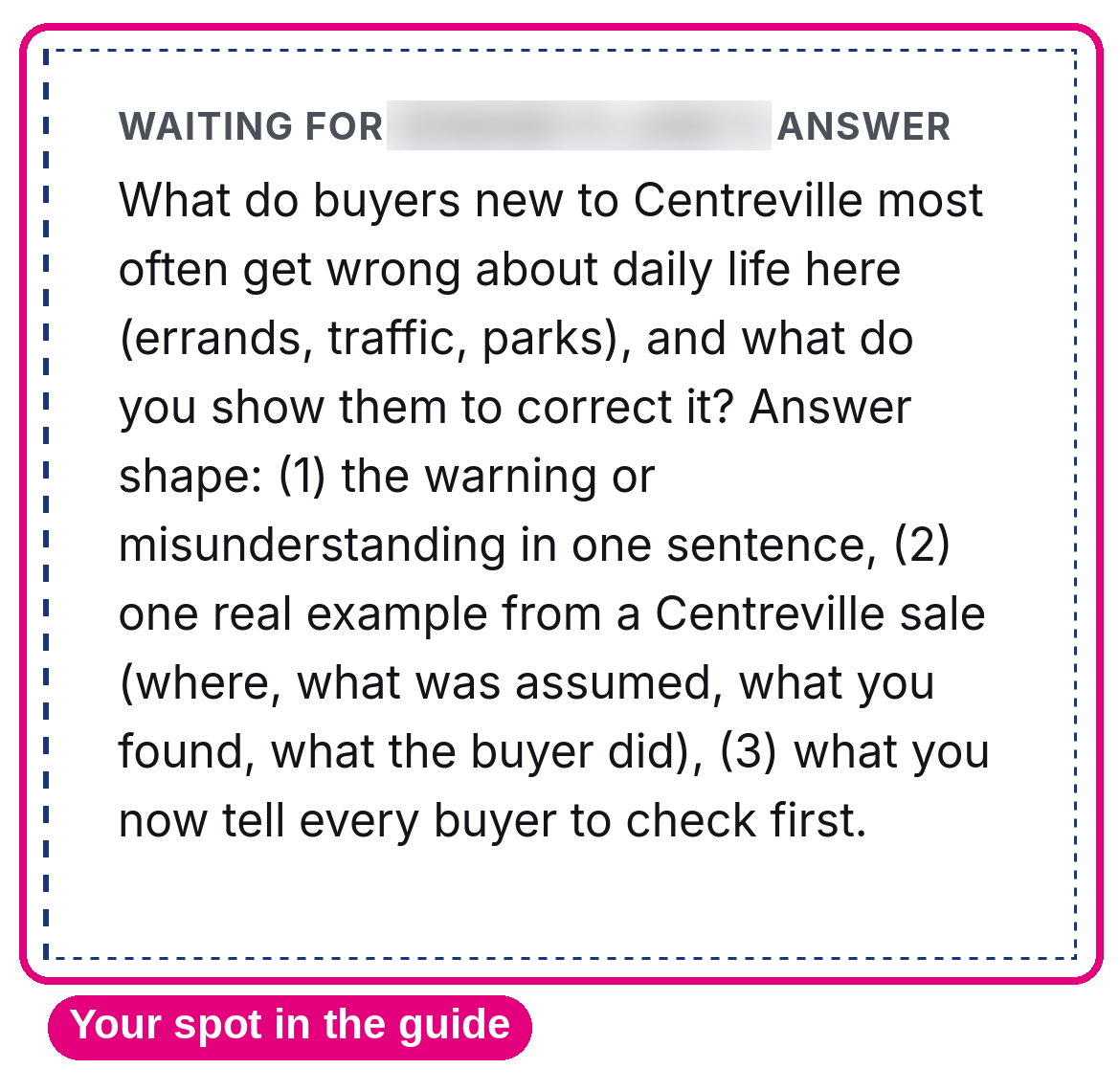
Wherever a quote from you belongs, our writers leave a marked spot with the question. It reads “Waiting for [your name]’s answer.” (Here’s how we build neighborhood pages.)
2. You get one link
We email you a personal link. It’s how you start and how you come back, from any device. Keep it private, like a house key: anyone who has it can answer as you.
Open it in Chrome or Safari on a computer or phone, somewhere quiet.
3. You answer a handful of questions out loud
Press Start my interview. Riley, our AI interviewer, tells you it’s an AI and that the call is recorded, then waits for your OK. It asks one question for each spot in the guide.
- If you get stuck, look for the suggested first line under “You could start with,” or press Ideas.
- Press Redo for another take (up to three), Skip to move on or Pause for a break.
- Press More to have your answer read back, watch it or start the interview over.
- Your answers save as you go. End the interview any time and pick up later from the same link.

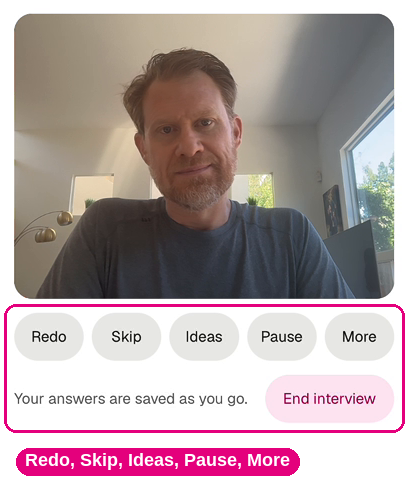

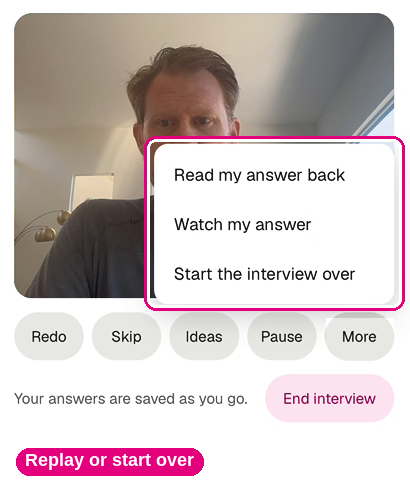
The call records your camera and microphone. Afterward you pick video, sound only or words only for each answer. If your browser can’t record video, the call runs as sound only.
When you end the call, your answers aren’t ready right away. First they’re processed, then AI lightly edits them, and that takes a little while. You’ll get instructions for the next step.
The review step
You do the review yourself, from the same link. Only you can approve your answers and press Submit. Your site’s administrator can help check the facts. It has three steps.
1. You approve the answers
You see one answer at a time: your clip, and how it reads in the guide with your name. We tidy filler words and show you what changed. If it sounds like you, press Approve this answer.

If it doesn’t, press Something’s wrong and pick one:
- Fix the words: take out a word, fix a spelling or strike a sentence. The video is cut to match.
- Record it again.
- Type it instead: your answer runs as text, without the video.
- Leave this question out: the guide runs without a quote from you there.


2. You check a few facts
Next, Byline shows the sentences we want a local to confirm. For each one, choose That’s right, It’s wrong or Not sure.
- It’s wrong: write the sentence the way it should read. Byline checks it and shows it to you before it’s used.
- Not sure: one press, and that sentence comes out of the guide.

3. You submit, and the guide goes live with your name
The last screen shows what goes in, how you’re credited and who publishes it. Press Submit. You can still change an answer afterward.

Who publishes depends on your site’s setup: Virtual Results, your site’s admin, or you, with a Publish to my site button. Nothing goes on your page until you’ve approved it.
When it’s live, we email you: “Your guide is published.” Each quote shows your name, with a player for video and audio answers. About 15 minutes later, a full interview video of your approved video answers is added.

Tips for answers buyers remember
- Name a real place: a street, a park, a coffee shop, the school pickup line.
- Give one number: how many offers, how many days on market, how many minutes to the train.
- Tell one short story: one buyer, what they assumed, what they found.
- Stick to places, prices and daily life. Leave out who lives there. Fair housing rules apply to quotes too.
Questions agents ask
Who sees my recording?
Until you approve them, your answers are seen only by you and the people preparing your guide. Answers you leave out stay off the page and out of the full interview video.
Do I have to be on camera?
The call records video, and you decide what shows. Afterward, switch any answer to sound only or words only, or type it instead.
Can I redo or edit an answer?
Yes. During the call, press Redo. Afterward, press Something’s wrong.
Will anything publish without my approval?
No. Nothing goes on your page until you’ve approved it.
Can I take a quote down later?
Yes. Contact us and we’ll take it down.
What do I need?
Chrome or Safari on a computer or phone, a quiet spot and about 15 minutes.
Start your interview
Your link is in our email with the subject line that starts “Your guide: add your voice.” Open it and press Start my interview. In about 15 minutes of talking, the part of your guide nobody else can write is recorded, in your own words.
Can’t find it? Contact us and we’ll send your link again. More answers are on the Byline help page.
If you’re a member without a guide yet, ask us about Byline. If you’re not a member, see how Byline and our community guides work.